
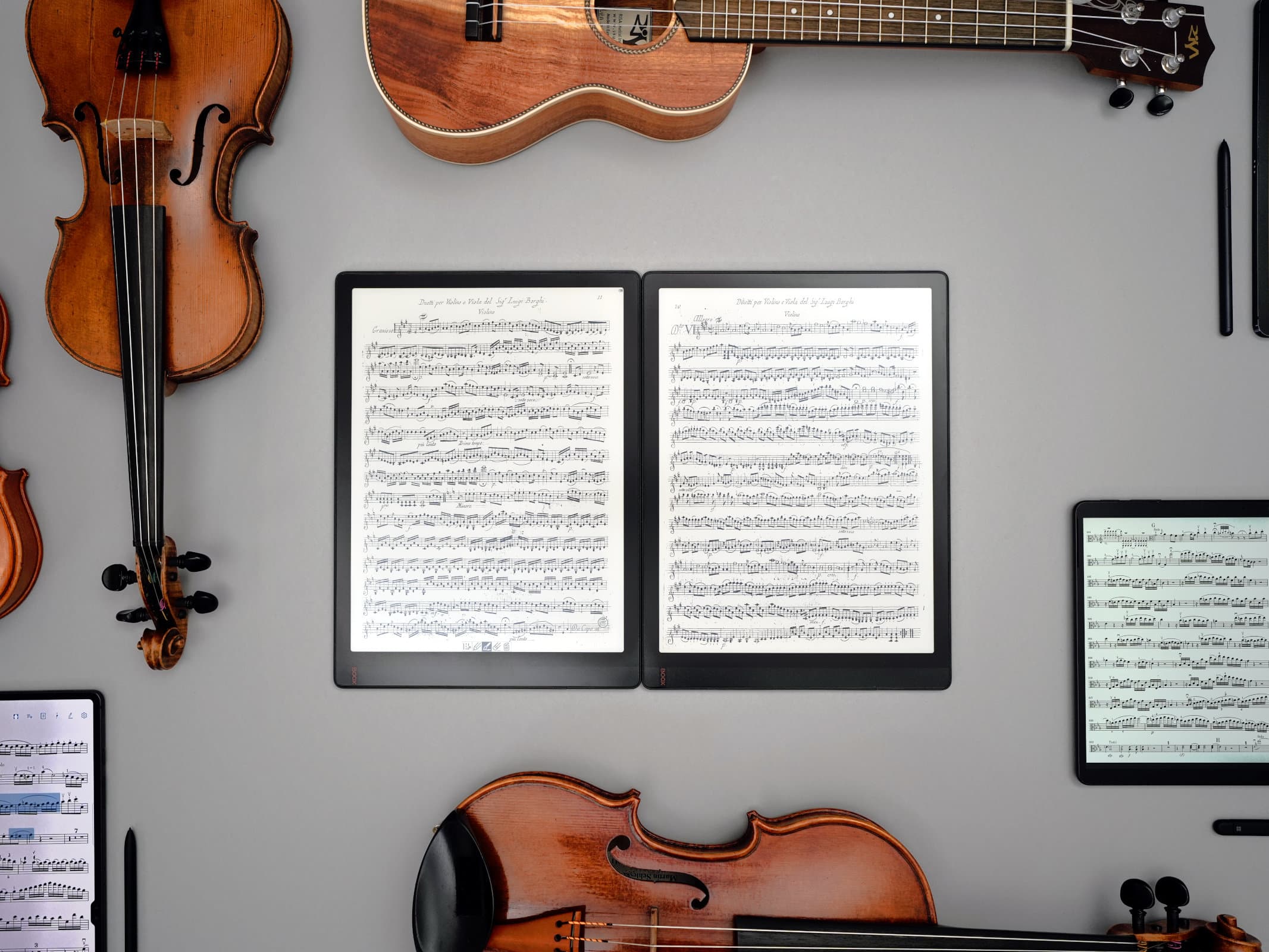
Photo: tablets-for-musicians.com
The best e-readers for musicians (2026 update)
Last updated on May 11, 2026
For years, I’ve been testing tablets and e-readers on stage and at home. Only a handful of manufacturers make e-readers large enough for sheet music, and even so, choosing the right one isn’t easy.
In this article, I’ll take a closer look at which e-readers are the best for a musician’s daily use, including practicing, rehearsing, and performing.
I am registered with the Amazon Associates Program. This website contains Amazon affiliate links (marked with a star). If you click on one of these links and make a purchase, I may receive a commission from Amazon.
Clicking on an affiliate link does not change the price you pay, and will help me continue to test tablets and e-readers. Thank you for your trust and support!
 I am a classical musician (violist) with 20 years of professional experience in orchestra and chamber music. For many years, I have been advising colleagues, students, and fellow musicians in the choice of their tablet.
Along with the many positives of using tablets / iPads, I’ve also seen the negatives: tablets crashing just before going on stage, batteries that don’t hold up during long rehearsal days, and missing page turner pedals in concert.
I spent my school years in France, and this article must be riddled with spelling and grammar mistakes, for which I apologize. Feel free to send me any corrections!
There is no test protocol! I use the most different tablets and iPads possible in my real life as a musician, which includes practicing, rehearsing and playing concerts.
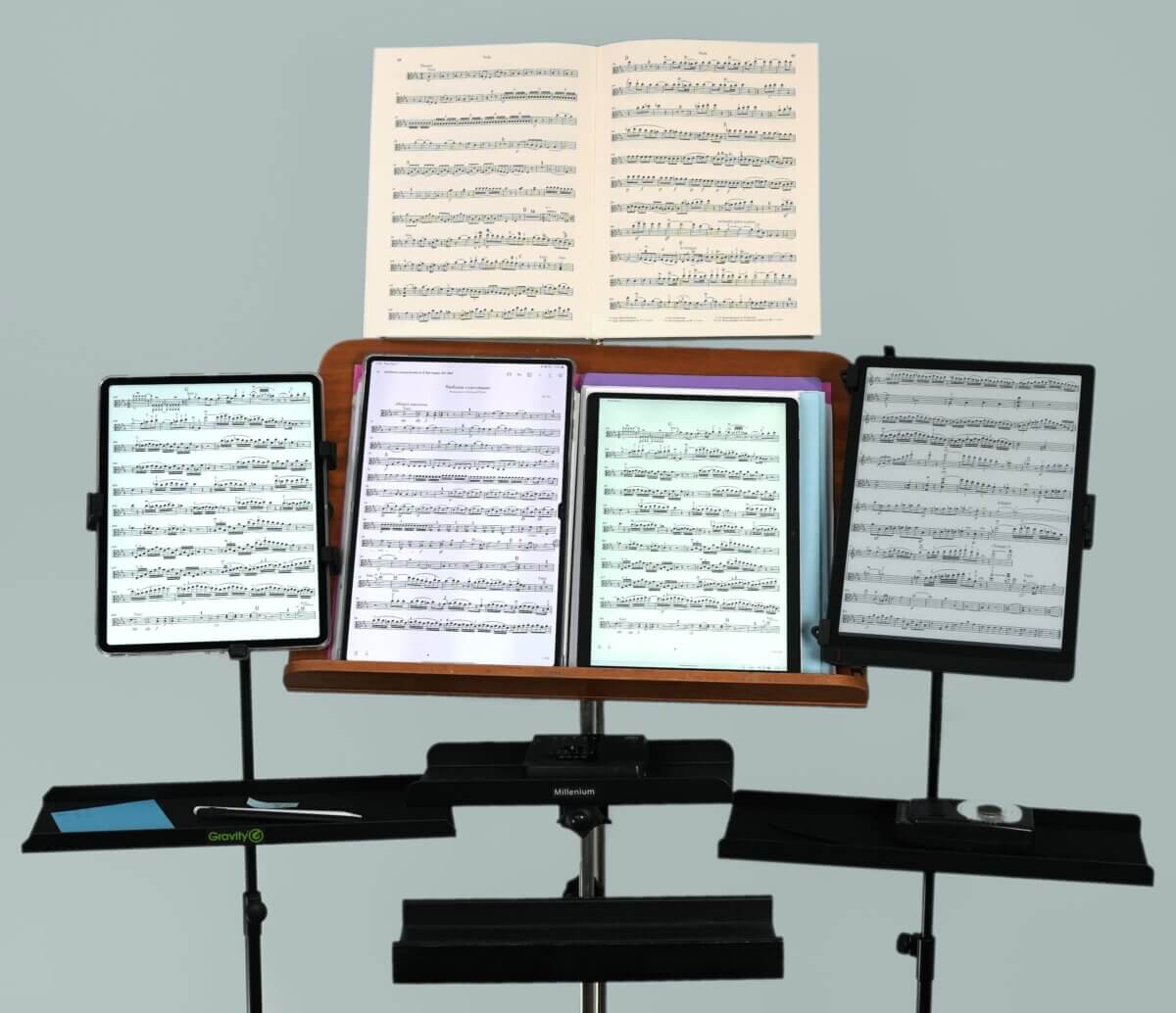
Practicing with multiple tablets at the same time can be laborious. Photo: tablets-for-musicians.com
The tablets and e-readers are purchased with my own funds and used as long as I please. This means that my tablet / iPad reviews are always independent, long term and real life reviews.
E-reader or tablet?
First, let’s highlight the difference between e-readers and tablets when it comes to displaying sheet music. Despite their many advantages, tablets often have glossy displays that can cause glare or reflections.
This can make reading sheet music difficult in very bright environments (outdoor concerts) or cause problems with reflections from lamps or spotlights.
E-readers, on the other hand, use electronic ink technology (E-ink) that minimizes glare and allows for more comfortable reading, even when performing in direct sunlight.
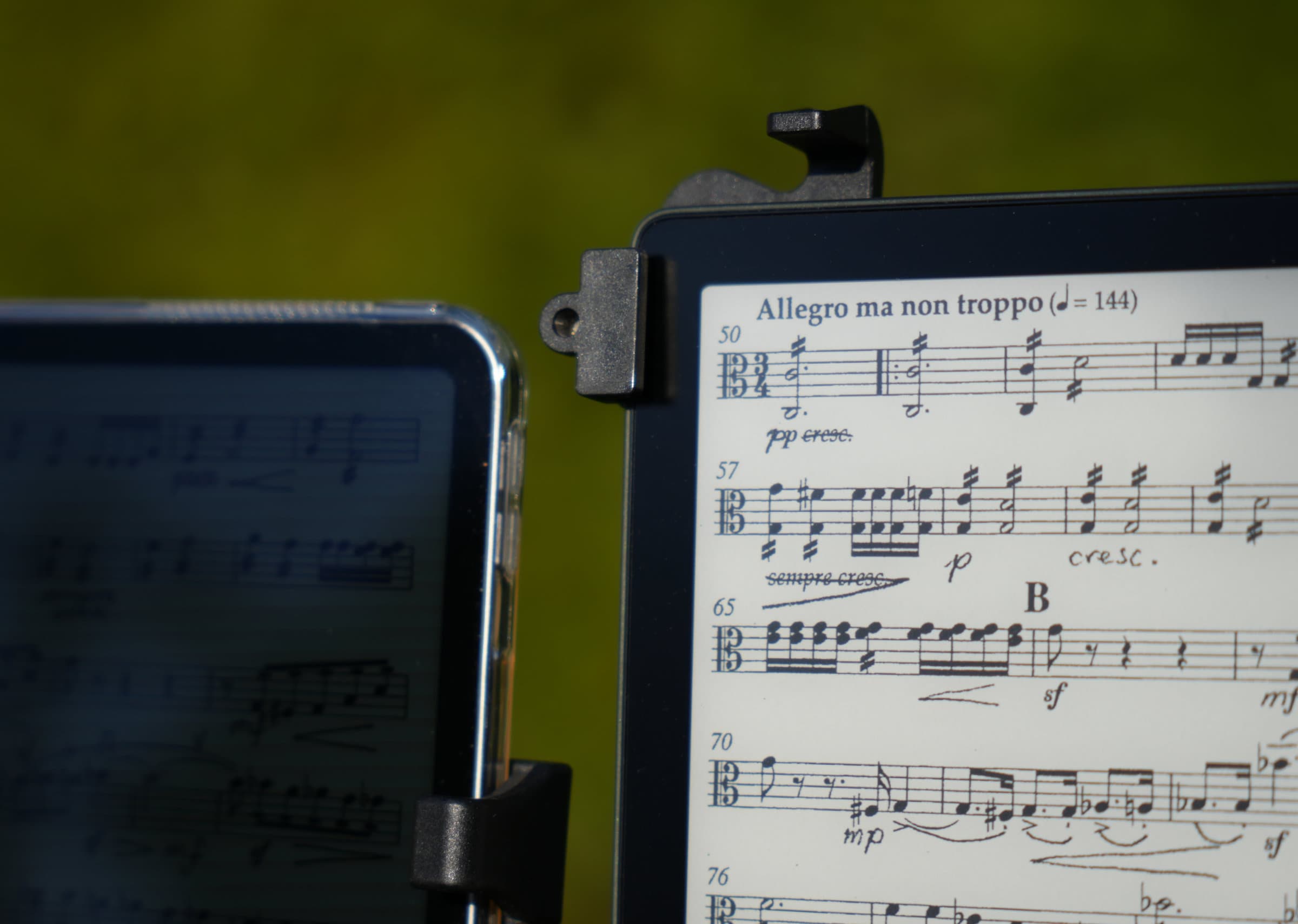
Outside, e-readers fare much better than tablets. Here an iPad Pro (left, maximum brightness) in full sunlight next an e-reader (Boox Tab X, right) – unedited picture. Photo: tablets-for-musicians.com
Which display sizes are suitable for reading sheet music?
The largest e-readers available on the market have a 13.3-inch display with a 4:3 aspect ratio. These screens are slightly smaller than a sheet of paper. To be more precise, the area of 13.3-inch displays is 90.8% of the area of a Letter-size paper, or 87.8% of the area of an A4-size sheet of paper.
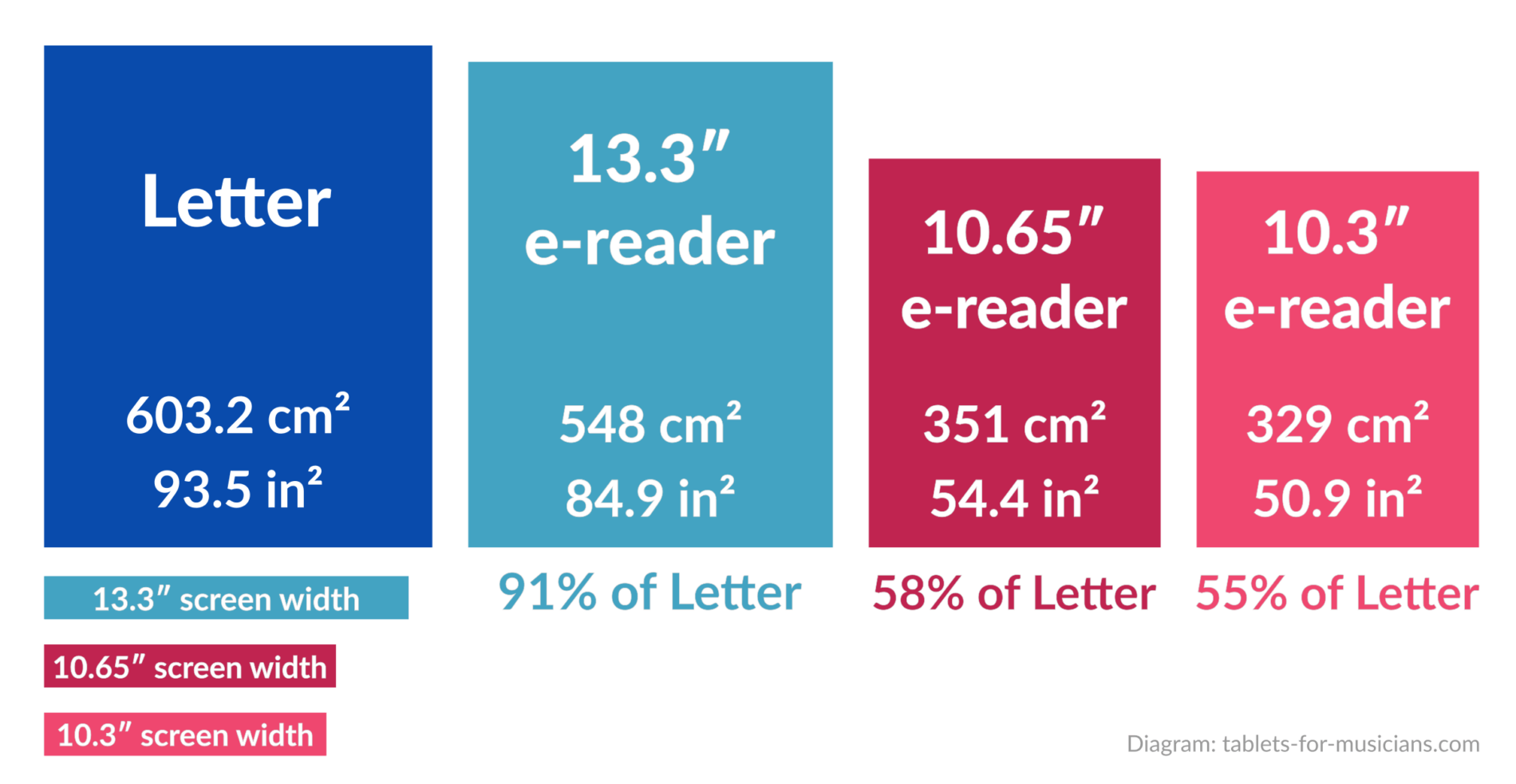
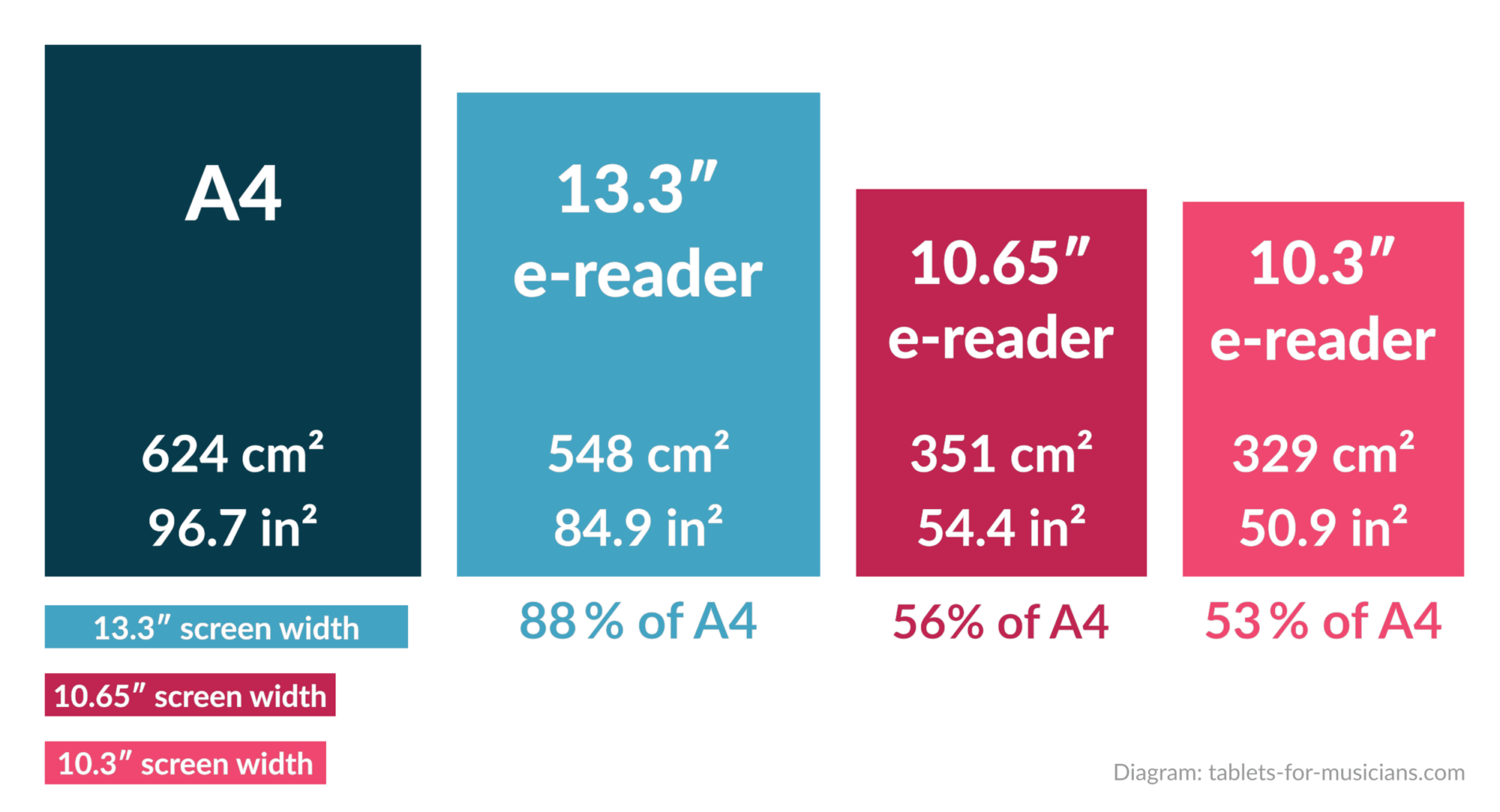
Sheet of paper, compared to 13.3-inch, 10.65-inch and 10.3-inch e-reader displays. The surfaces and dimensions are those of the screens and not those of the e-book-readers.
The screen size of smaller e-book readers goes straight to 10.65 or 10.3 inches – there are no standard screen sizes between 13.3 and 10.65 inches. (There is one exception though: the reMarkable Paper Pro, released in September 2024, has an 11.8-inch screen, see more details below).
A 10.3-inch screen cover 54.5% of the area of a Letter-sized sheet of music. These e-readers are definitely too small to display complex scores, but might be enough for song lyrics with chords.
For the vast majority of musicians, an e-reader with a 13.3-inch screen is therefore recommended.
The best e-readers for sheet music
To be used for reading sheet music, an e-reader should support the following features:
- a stylus, to annotate sheet music
- Bluetooth, to connect a page turner
E-readers that do not meet these criteria are not included in the list. Amazon’s Kindle devices are thus not mentioned here.
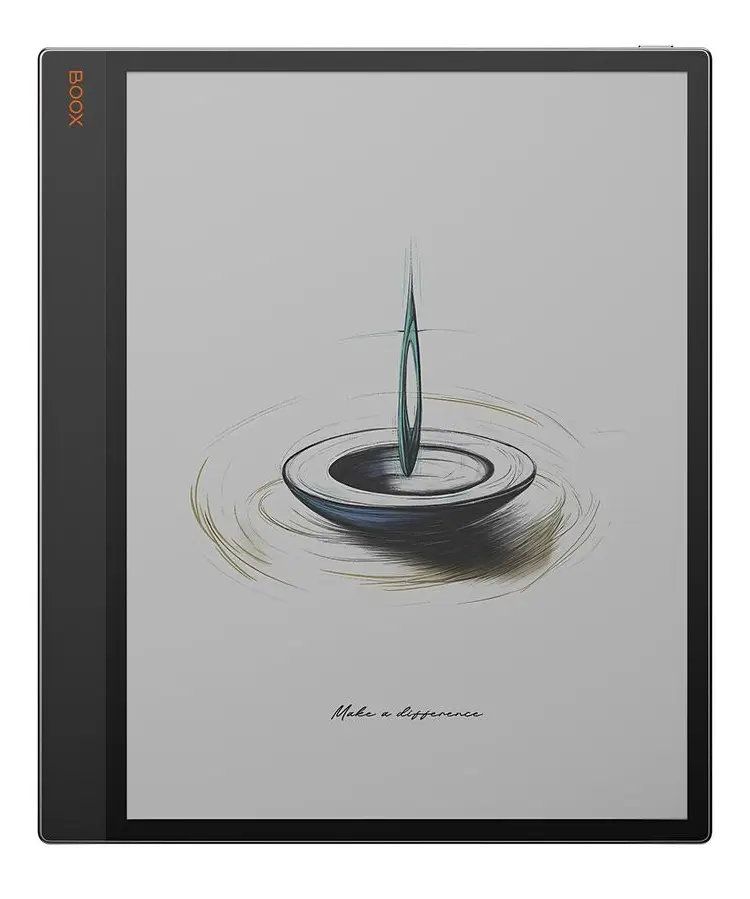
1. Boox Tab X C
The best e-reader for musicians
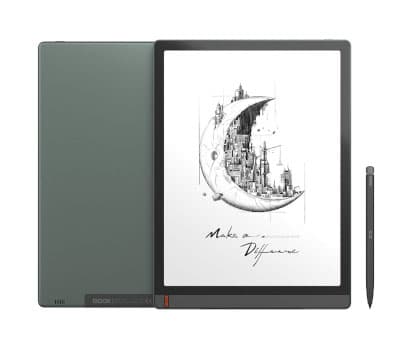
The BOOX Tab X C offers a large 13.3-inch color e-ink display, runs Android 13 (which is already somewhat outdated), and comes with a new stylus, the “BOOX InkSpire”. In my opinion, it’s the best large e-reader available in 2026.
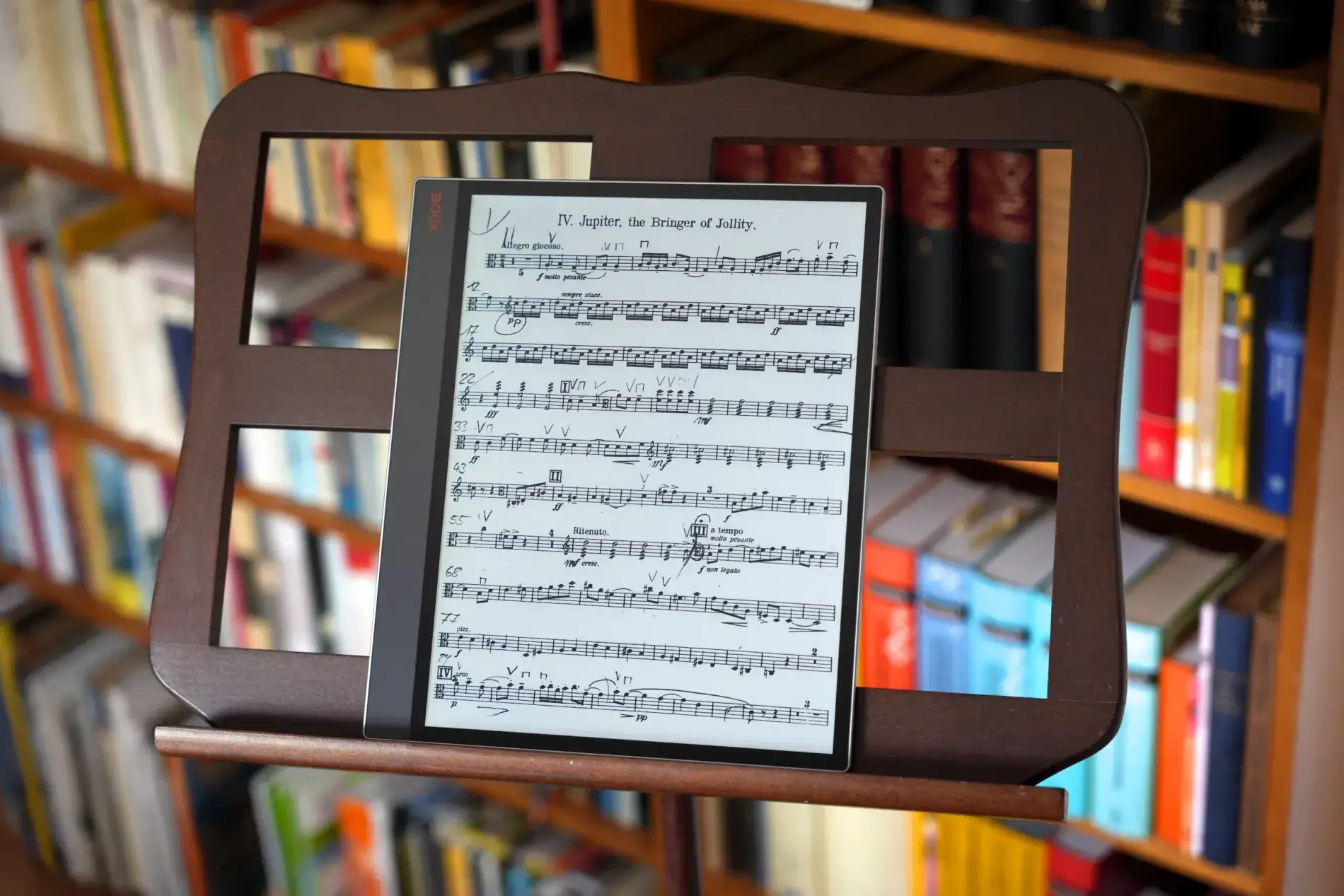
The BOOX Tab X C is the best e-book-reader for sheet music. Photo: tablets-for-musicians.com
A much-needed but still disappointing hardware upgrade
The Tab X C (announced in April 2025) is a substantial upgrade over the 2023 monochrome Tab X, at least in terms of performance: it has a 2.5 times faster processor and a much better graphics processing unit (GPU).
However, Boox could have been more generous with this upgrade when it comes to the other specs, which are largely unchanged from the older model: RAM is stuck at 6GB and storage at 128GB, with no SD card slot. Battery capacity was even slightly reduced, despite the weight increase.
That said, when using E Ink displays, the screen refresh itself is the bottleneck for most tasks, and the specs are still more than sufficient for reading and editing sheet music. A bit more future-proofing would have been welcome, though.
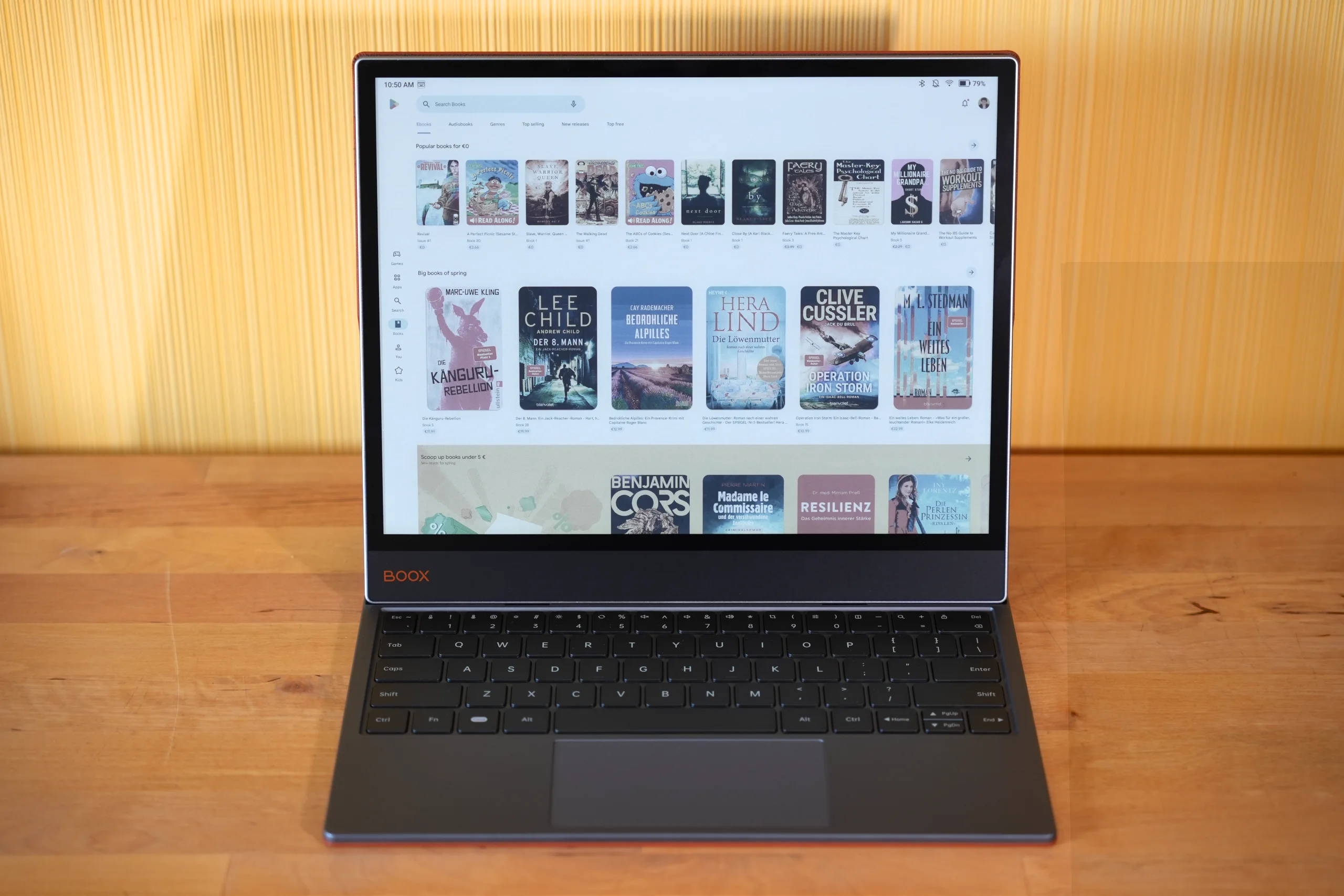
Unlike many e-readers, which have a proprietary operating system, the Boox Tab X C is an Android device with full access to the Google Play Store. Photo: tablets-for-musicians.com
Thanks to Android, the full range of applications from the Play Store is available. You can download sheet music apps and access digital score libraries, something that isn’t possible with non-Android readers like Kindles, Kobos, or reMarkables.
Compatible sheet music apps include MuseScore, Henle Library, Tomplay, SongBookPro and the IMSLP app. My favorite sheet music reading app, MobileSheets, is available in a version designed specially for e-ink devices.
If you want to edit or write music, you can install the Sibelius app, Flat, or Maestro, among others.
Since Bluetooth is supported, it’s also possible (and very easy) to connect a Bluetooth pedal to turn pages.
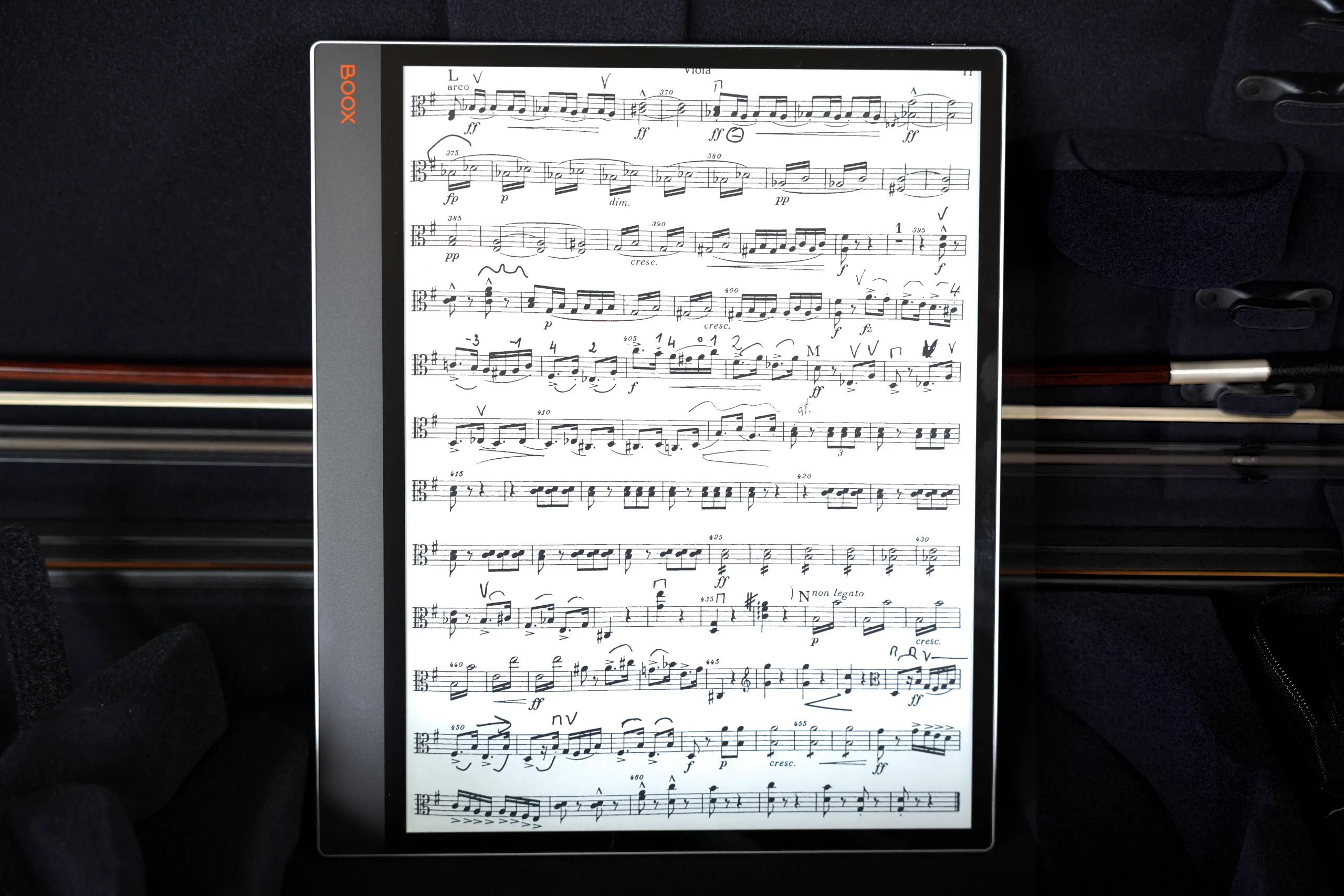
I recommend using the MobileSheets app for managing and reading your sheet music collection – it even has a version specifically tuned for e-ink devices! Photo: tablets-for-musicians.com
The best color e-paper on the market has muted colors
The BOOX Tab X C is built around the latest Kaleido 3 color ePaper, the best available to date. On paper 😉, it has an excellent resolution of 3200 × 2400 pixels (300 PPI), but that’s for black-and-white. In color, the resolution drops to 1600 × 1200 (150 PPI), and you can see the pixels with the naked eye.
The display can show 16 shades of gray (the same as the Boox Note Max) and 4,096 colors. Compare this to a standard Apple iPad, which can display 16.7 million colors.
In my experience, the color depth itself isn’t the problem — it’s that the colors look muted, if not dull. That’s fine if you’re willing to accept it, but it’s nowhere near the vividness of an LCD or OLED tablet screen: don’t expect vivid or saturated colors!
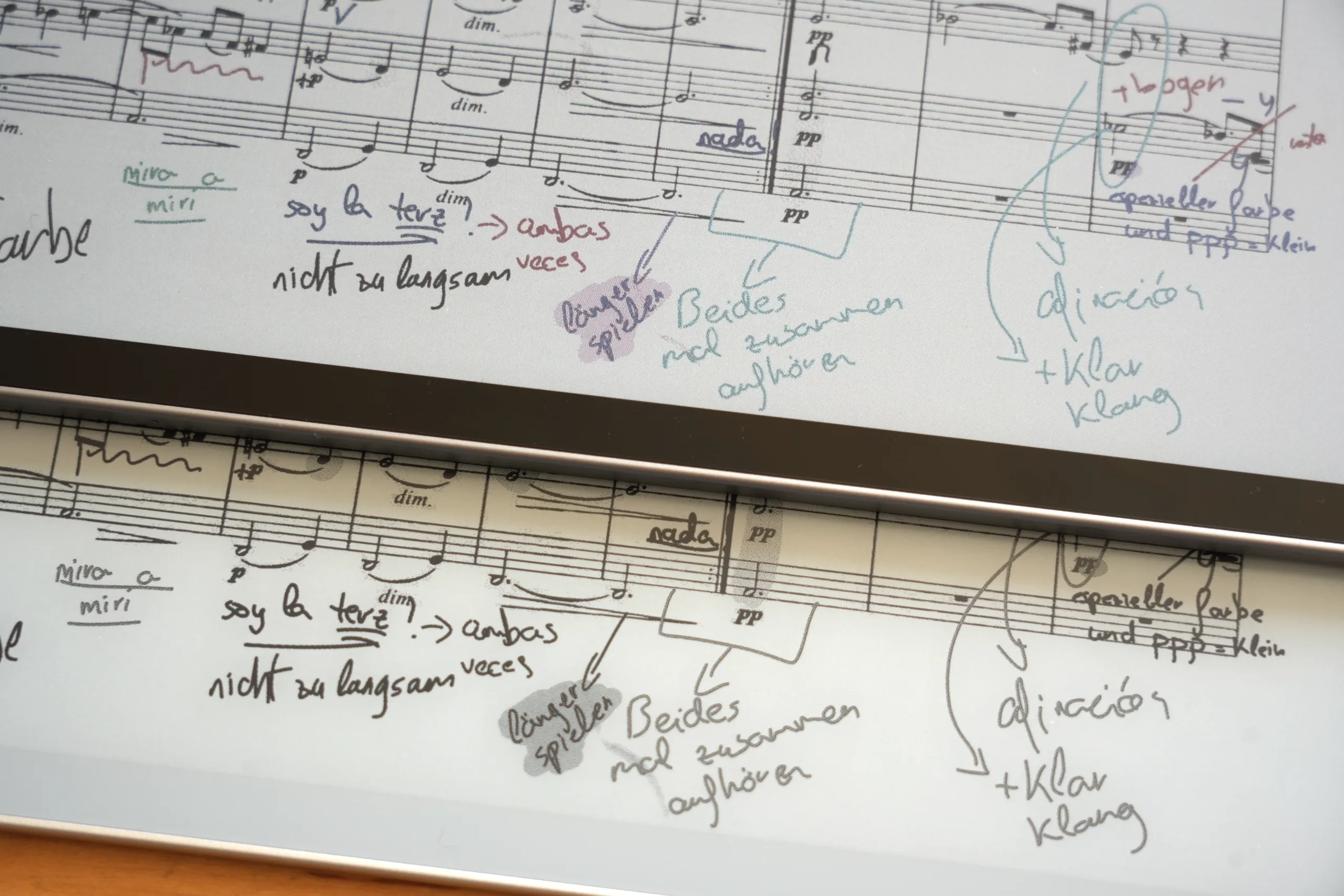
The colors on the Boox Tab X C (top) look muted. Below, the monochrome Boox Note Max. If you zoom in, you can see the pigments, especially on the Tab X C. Photo: tablets-for-musicians.com
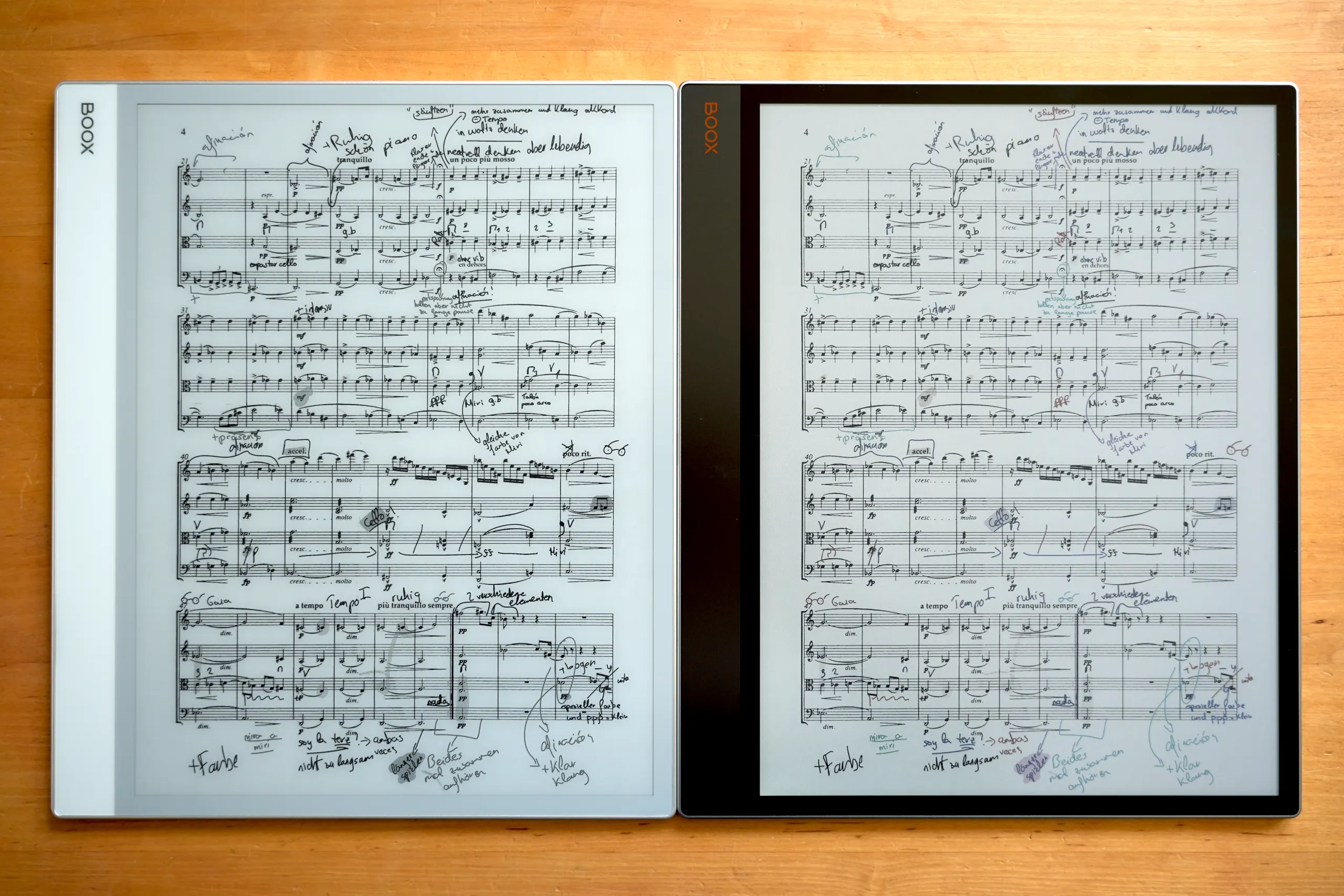
The monochrome screen of the Boox Note Max (left) looks sharper and brighter than the color screen of the Boox Tab X C (right). Photo: tablets-for-musicians.com
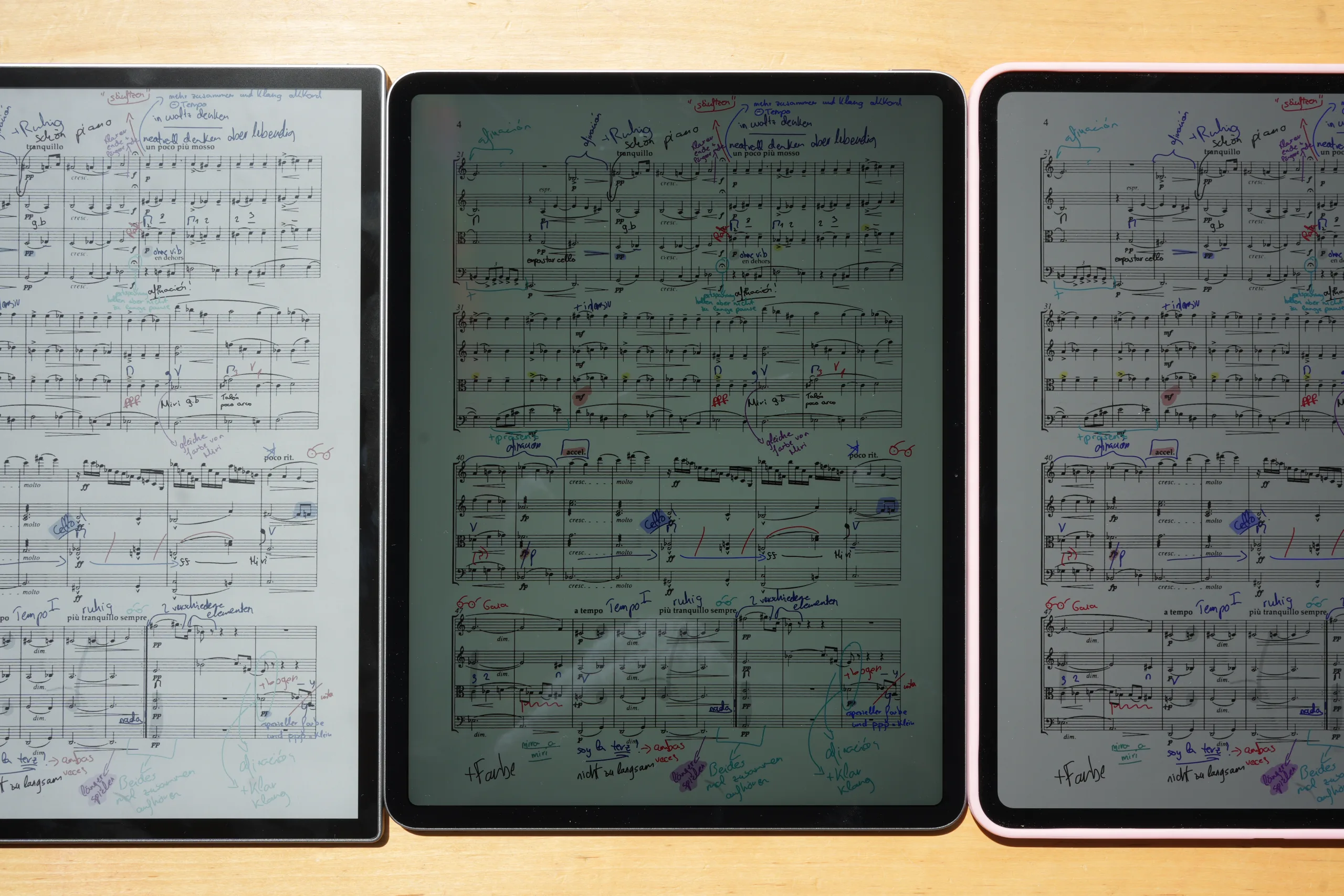
In direct sunlight, the Boox Tab X C (left) remains fully readable. By comparison, the iPad Air 13 M4 2026 (middle), with its maximum brightness of 600 nits, becomes harder to read. The iPad Pro 13 M5 2025 (right), which tops out at 1,000 nits, also stays readable. Photo: tablets-for-musicians.com
Onyx Boox Tab X C: Pros
- Large 13.3-inch screen
- Very thin (0.21 in) and light (1.38 lb)
- Wide choice of apps
- Best large e-reader on the market
Cons
- Display lag (like all larger e-readers) and poor responsiveness
- No cellular option (Wi-Fi only)
- No camera (e.g., for scanning sheet music)
- Spec sheet could be better
- Very expensive
- Android 13 is already outdated
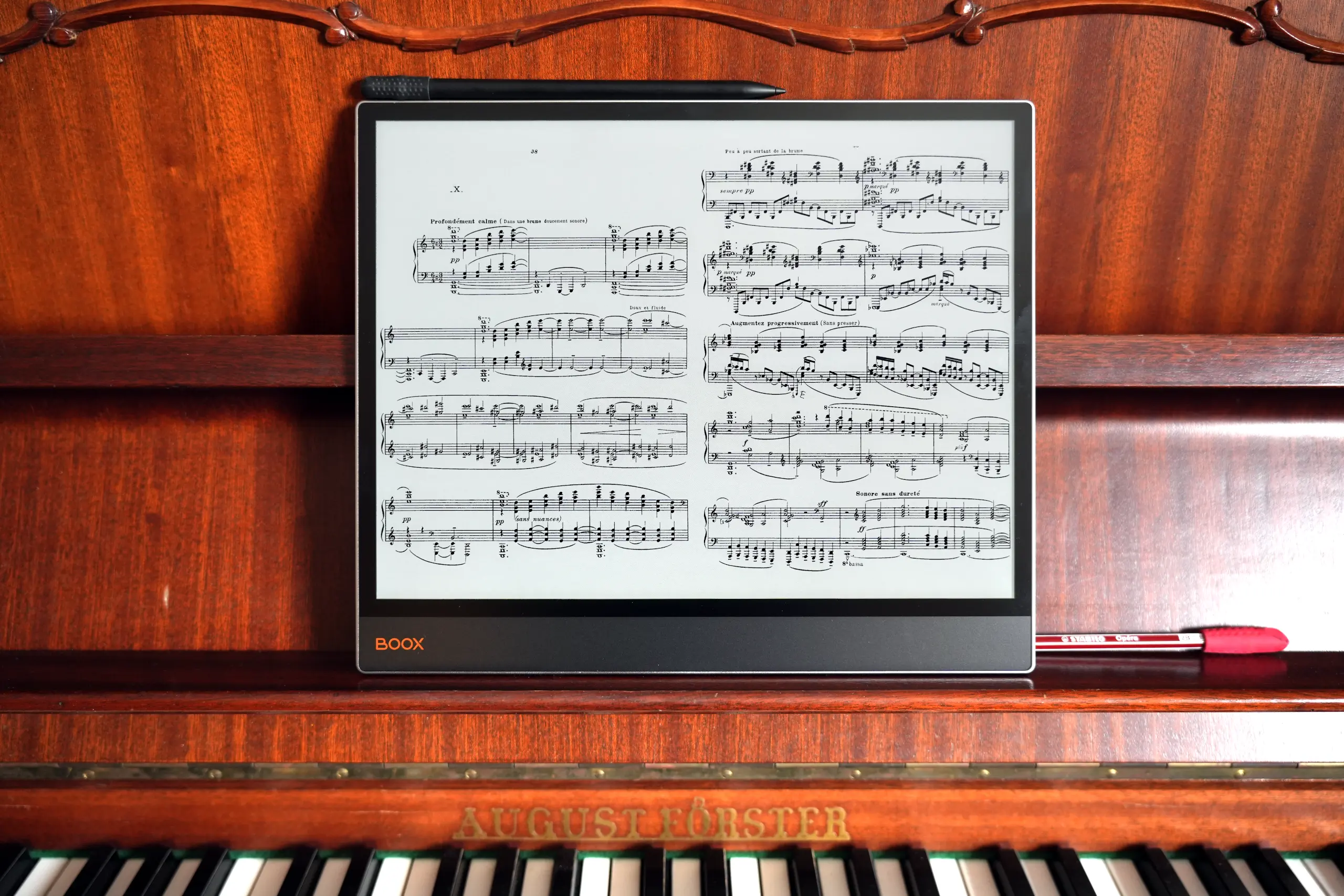
The 4:3 screen ratio isn’t ideal for displaying two sheets of music side-by-side in landscape mode – but it’s great for office use! Photo: tablets-for-musicians.com
Boox Tab X C: Verdict
I’ve been using the Boox Tab X C for several months — for practice, chamber music rehearsals, and concerts. It’s my device of choice for outdoor performances on sunny days.
For most musicians, I’d recommend a 13-inch iPad Air or Pro, or an Android tablet like the Samsung Galaxy Tab S10 Ultra or S11 Ultra over an e-reader. These tablets have cameras (for scanning sheet music), cellular options, and very responsive displays. They are more enjoyable to use day-to-day, feel much snappier, and are simply better in most respects.
However, if you’re particularly bothered by glossy tablet displays, play a lot of outdoor gigs in the summer, or are looking for a paper-like screen, the Boox Tab X C is the best option.
Onyx BOOX Tab X C – 13.3″ color ePaper Tablet PC – E-Reader with E-Ink
Which tablet holder / music stand can I use with the Boox Tab X?
The music stand I recommend for the Onyx Boox Tab X is the “K&M 19775 Biobased Tablet Holder”. It is the most universal high-quality stand available, it is compatible with the majority of large e-readers and tablets, with or without a protective case.
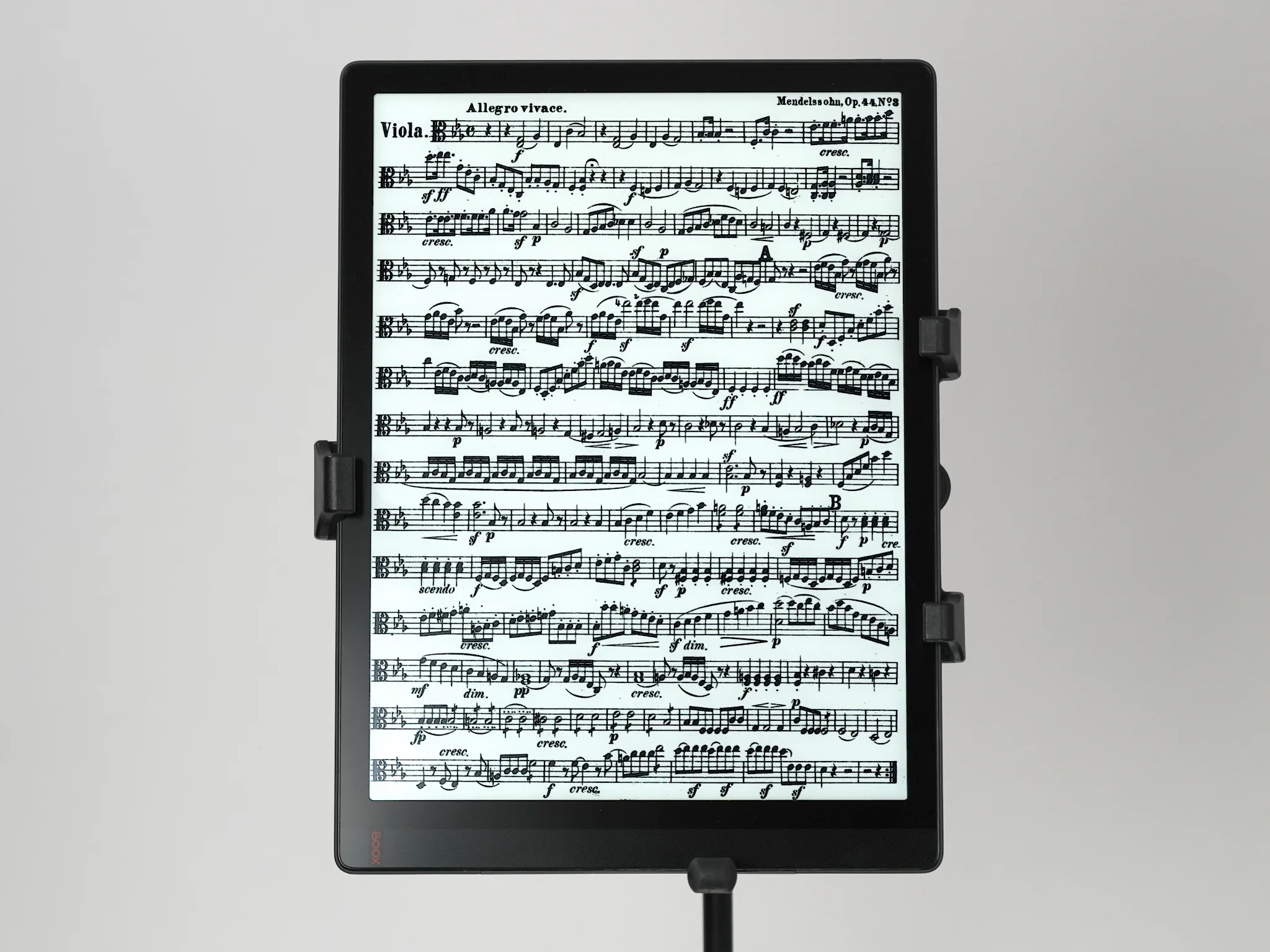
The best music stand for the Onyx Boox Tab X / PadMu 4 is the “K&M 19775 Biobased Tablet Holder”. Photo: tablets-for-musicians.com
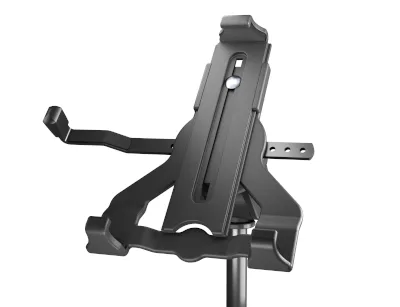
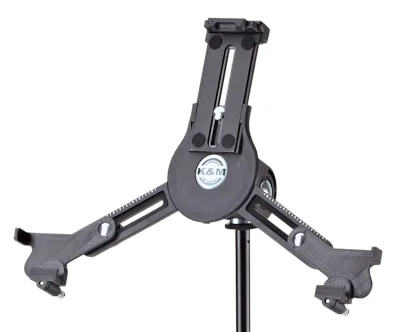
In some photos on this page, you can see the Boox Tab X in the K&M 19793 “triangular” music stand. This is one of the most elegant music stands around, but the Tab X barely fits in it with the stand’s settings at maximum.
In addition, one of the arms which holds the corners of the e-reader protrudes (as seen in the photos), because the format of the e-reader is not really suited to this tablet holder. This is not my first choice, but it is a possible option, given the few compatible music stands.
2. PadMu 4
An excellent e-reader with an imperfect software suite
Take the best large-format e-reader on the market, the aforementioned Onyx Boox Tab X. Add a tailor-made software suite for reading sheet music.
Sprinkle generously with marketing aimed at musicians and ship worldwide via a pretty website: you get the PadMu 4.
This is the method used since 2016 by a small Italian company that has already convinced many musicians.
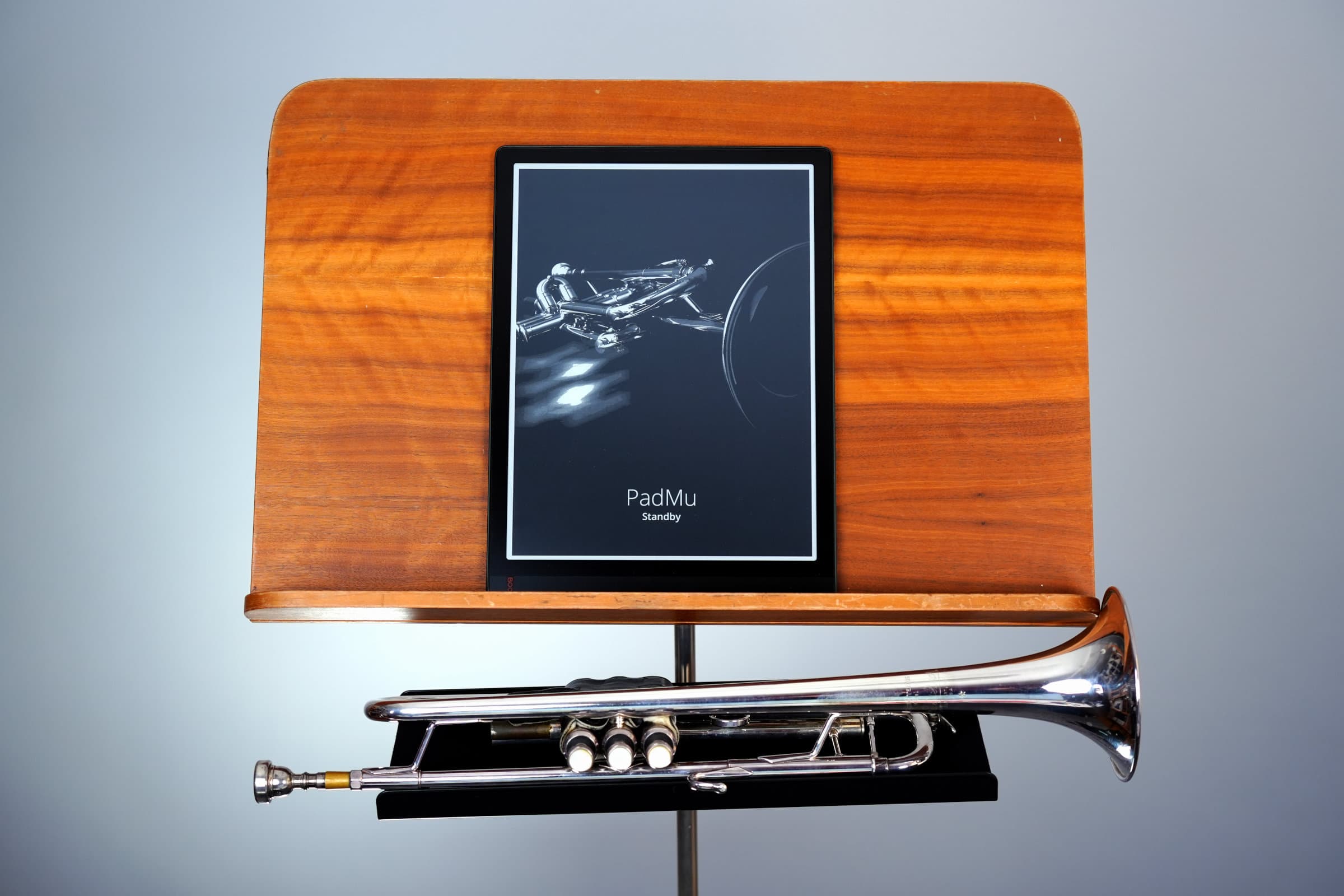
Although the PadMu 4’s software has major shortcomings, it is still an excellent e-reader. Photo: tablets-for-musicians.com
Unfortunately, the software suite that should make the PadMu 4 unique suffers from some major flaws. So much so that I can only advise you to install other applications to read and manage your sheet music.
However, when you use the PadMu with other apps, it’s just an Onyx Boox Tab X with a more musician-focused marketing strategy – and a lot more expensive. Nevertheless, it remains an excellent e-reader.
PadMu 4: Pros
- All-in-one solution specifically designed for musicians
- Well-thought-out and pleasant to use library
- Based on the best e-reader on the market
Cons
- Account required to use the PadMu applications
- Half-baked “PadMu Reader” sheet music reading app
- Poor page cropping function
- Can’t display two pages side by side in landscape mode
- Sluggish PadMu software suite
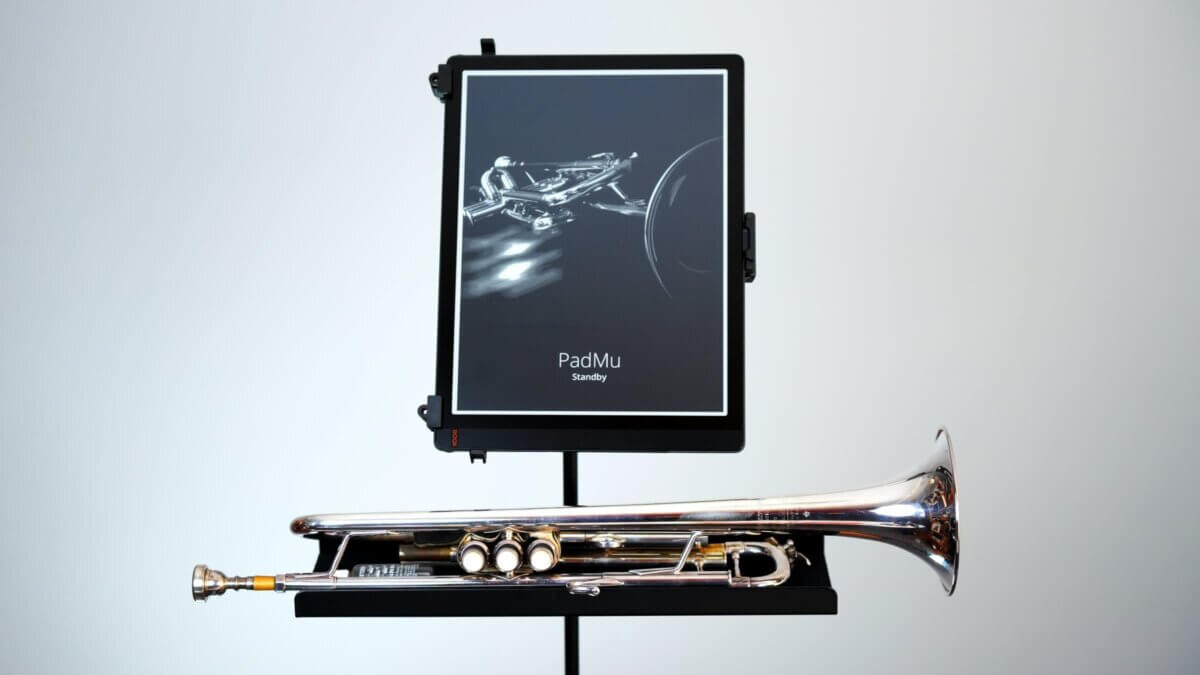
PadMu 4 – E-Reader for Musicians*
Please note: The PadMu 4 is not available on Amazon in the US and in Canada. The official PadMu website offers worldwide delivery.
3. Boox Note Max
An e-reader with many flaws, but with the best monochrome e-paper technology
In January 2025, two years after the Boox Tab X, Onyx has finally released its new 13.3-inch e-reader, the Boox Note Max. This is not the successor to the Tab X: it belongs to the “Note” series, one step down in the Boox product line.
The Boox Note Max features an E-Ink Carta 1300 screen, the best monochrome e-paper available. Its resolution is 3200 × 2400 pixels (300 PPI, compared to 207 PPI on the Tab X).
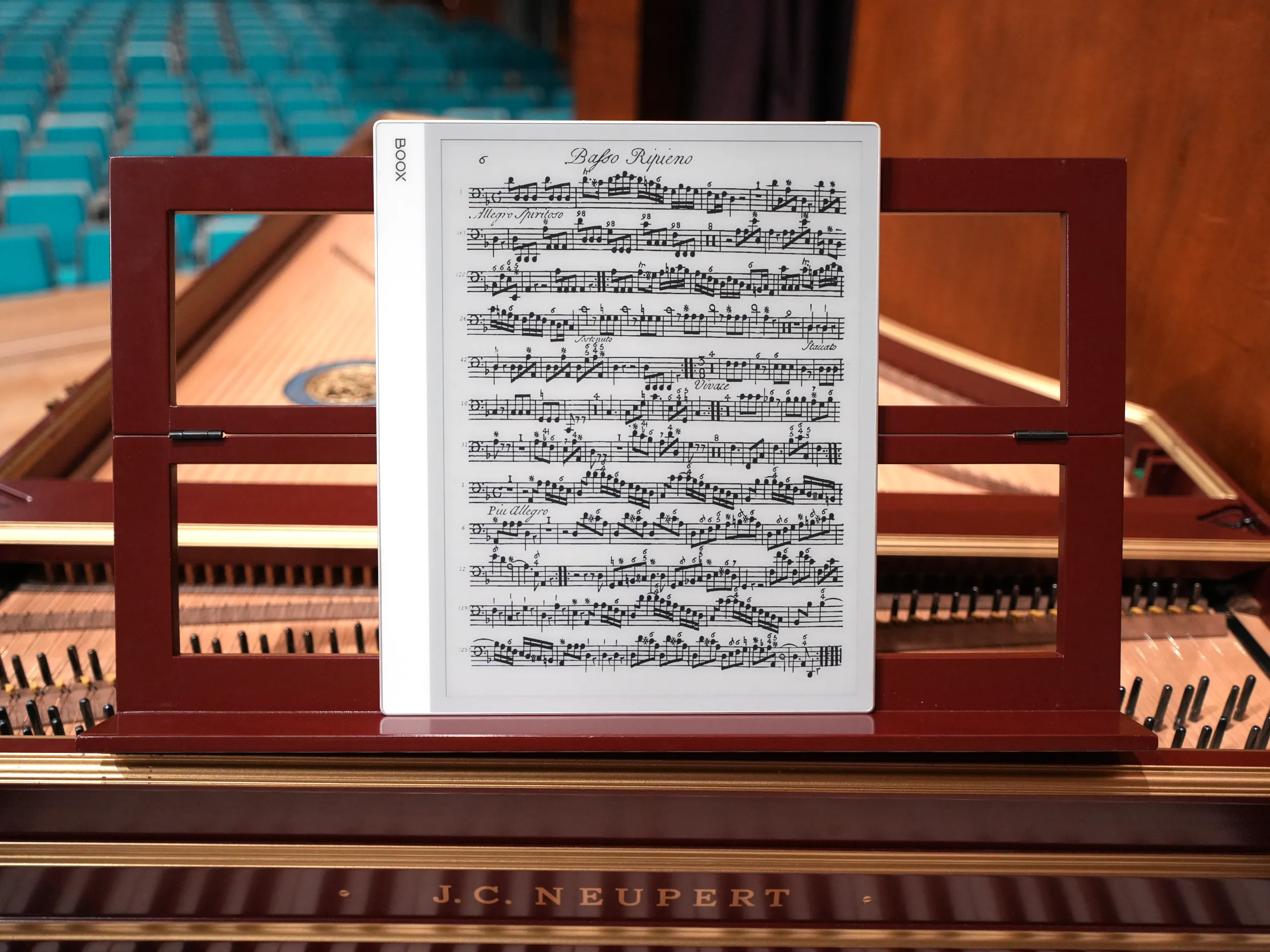
In good lighting, the Boox Note Max has an incredible display quality – if you are able to ignore the ghosting and gray background. Photo: tablets-for-musicians.com
The Note Max’s screen looks great, and reading music on it is a pleasure. Unfortunately, the background color is actually gray instead of white, which results in low contrast.
The Note Max’s biggest flaw is the lack of screen illumination. This makes it impossible to read in the dark or against the light. In low light, you’ll need to use a music stand lamp, just like you would with a paper score.
Boox Note Max: Pros
- Amazing display (with good lighting)
- Best available black-and-white e-paper technology
- Ultra-wide viewing angles
- Super lightweight (21.7 oz / 615 g)
- Less expensive than the Tab X C or the older Tab X
Cons
- No backlight
- Unusable against the light
- Reflective screen, spreads and reflects light sources
- Strong ghosting
- Grayish background color
- Short battery life
Onyx BOOX Note Max – 13.3″ ePaper Tablet PC – E-Reader with E-Ink
4. Boox Tab X
Once the best large e-book-reader – now showing its age
The Onyx Boox Tab X, released in January 2023, shares many features with its successors. It has a 13.3-inch monochrome E Ink Carta 1250 display (with a decent 207 ppi resolution), and unlike the newer Note Max, it includes a front light.
It also packs a large 6,300 mAh battery (bigger than the Tab X C’s), 6GB of RAM, 128GB of storage, and is impressively light at 19.8 oz (560 g).
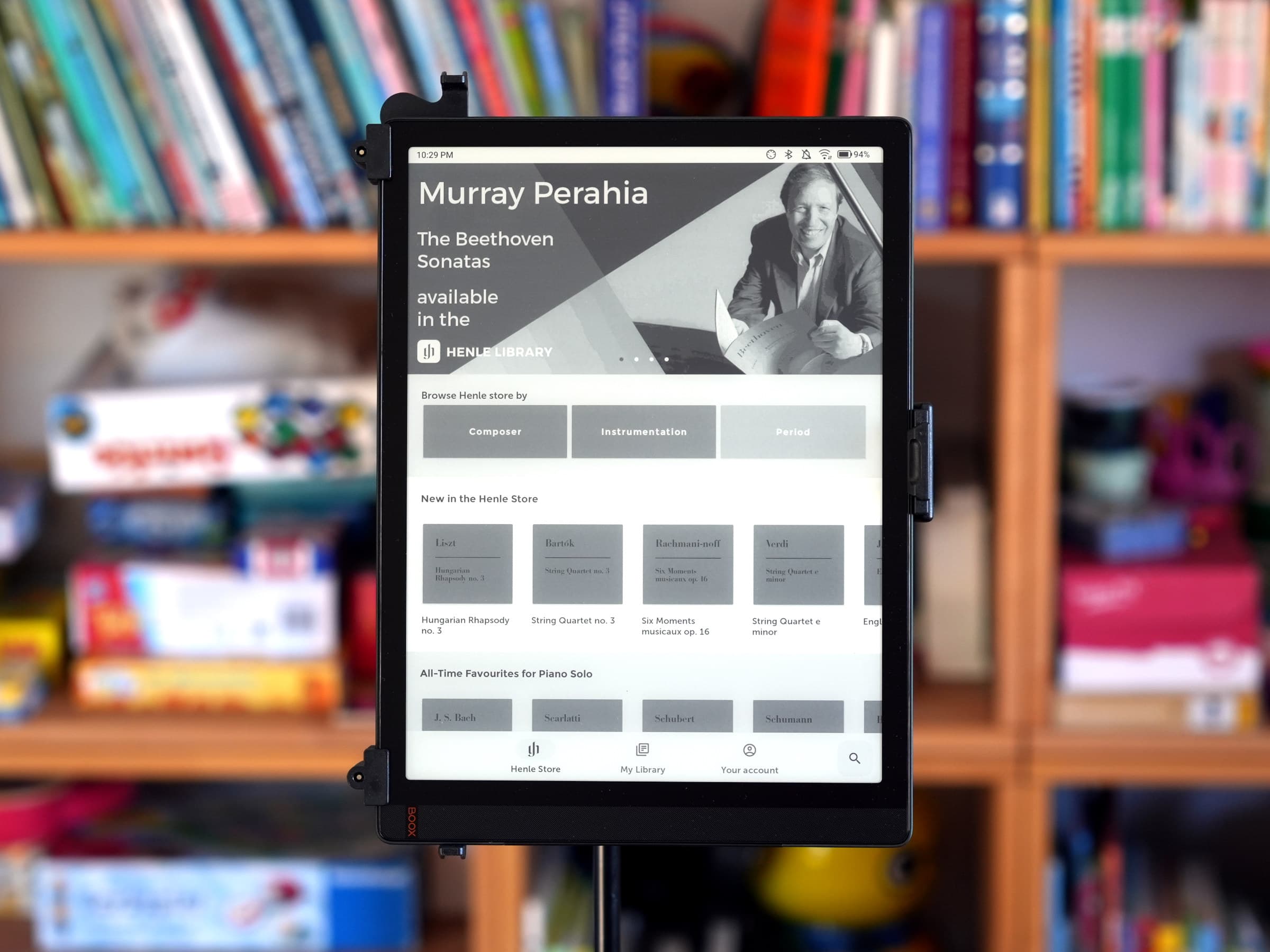
Homepage of the “Henle Library” app on an Onyx Boox Tab X e-reader. Photo: tablets-for-musicians.com
The Boox Tab X would still be a compelling device in 2026 if it had a better processor. Its Qualcomm Snapdragon 662 chip and sluggish Adreno 610 graphics processing unit (GPU) make it frustrating to use: you can never tell whether the lag is coming from the E-Ink display or from the underpowered silicon. The newer Note Max and Tab X C are a clear step up here, and I wouldn’t want to go back.
The security updates and Android upgrades problem
Unfortunately, Boox only ships more-or-less regular firmware and security-patch refreshes bundled into its own BOOX firmware releases, but it doesn’t upgrade to more recent major Android versions. The Boox Tab X is probably stuck with Android 11 for ever.
At a time when AI-powered hacking capabilities are becoming a serious threat, running a device without proper OS and security updates is riskier than ever. BOOX has a long way to go on this front.
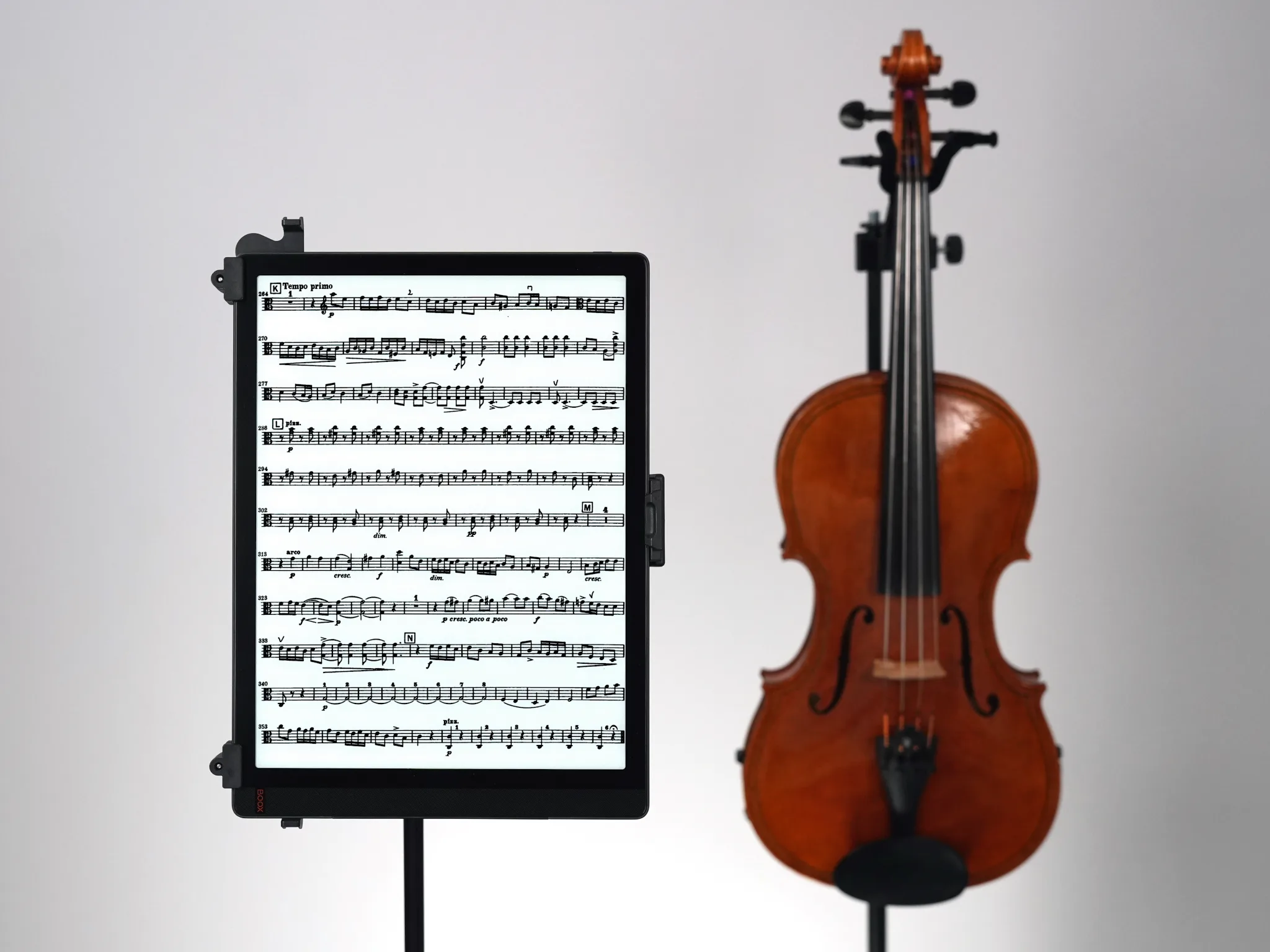
The Boox Tab X has a front light, which is unfortunately missing on the Boox Note Max. Photo: tablets-for-musicians.com
Onyx Boox Tab X: Pros
- Large (monochrome) 13.3-inch screen with front light
- Very thin (0.27 in) and light (1.23 lb)
- Excellent battery life
- Great Boox Pen2 Pro Stylus (passive, no charging required)
Cons
- Slow performance
- No camera, SD card slot, or 5G option
- Stuck on Android 11
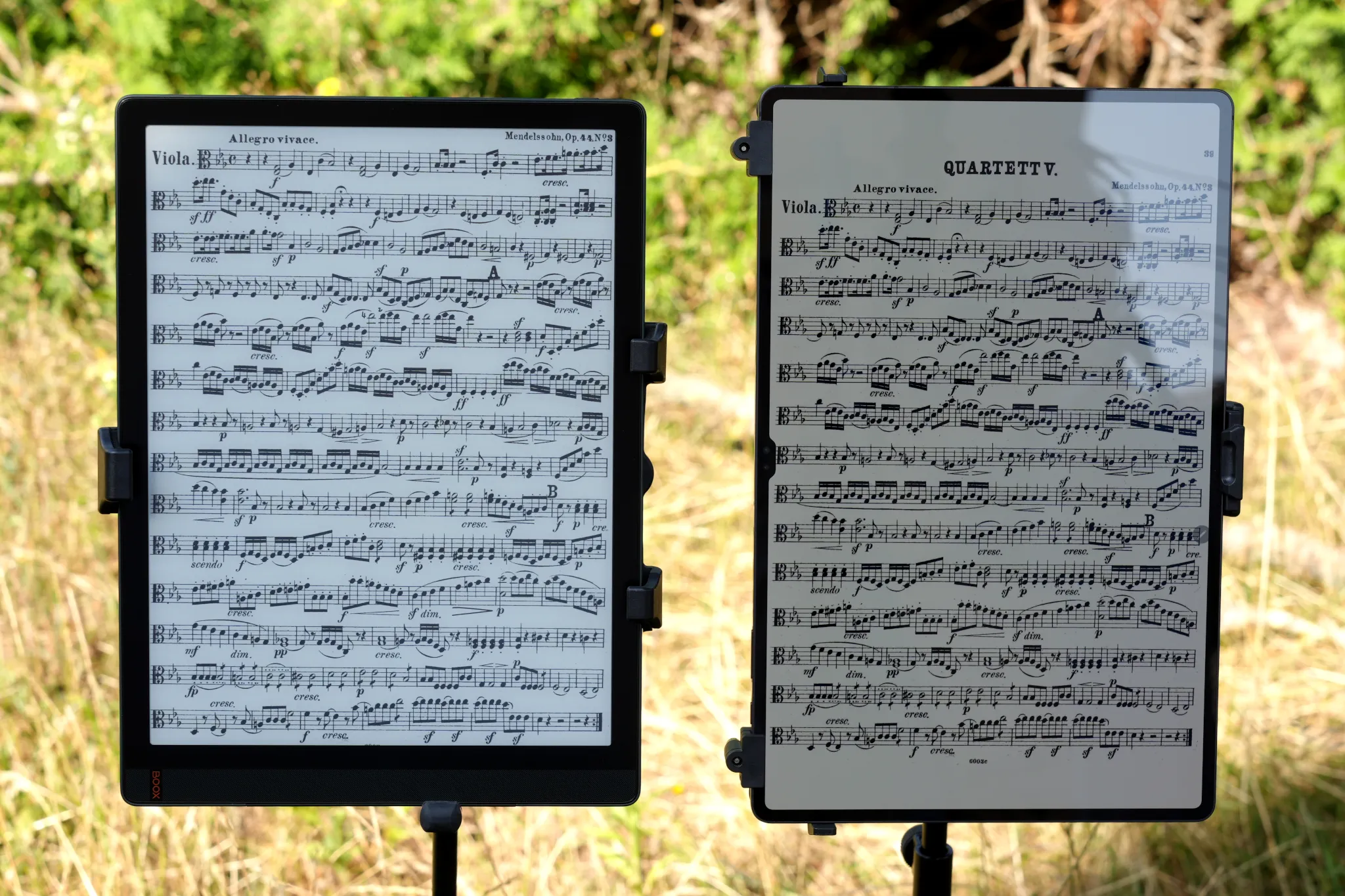
E-book-readers are much less prone to reflections and are easier to read outdoors than tablets. Here, an Onyx Boox Tab X vs. a Samsung Galaxy Tab S9 Ultra (right), unedited picture. Photo: tablets-for-musicians.com
Boox Tab X: Verdict
I used the Boox Tab X for almost two years, especially for open-air concerts. It pairs a great front-lit display with an excellent stylus. Unfortunately, the processor is too weak and Boox’s poor update policy makes it impossible to recommend in 2026, even used.
E-readers and music: frequently asked questions
Is there an Apple e-reader?
No, Apple doesn’t make an e-reader, and no model is planned.
Are there any e-readers larger than 13.3 inches?
No, 13.3-inch e-book-readers are the largest available on the market.
There are, however, larger tablets:
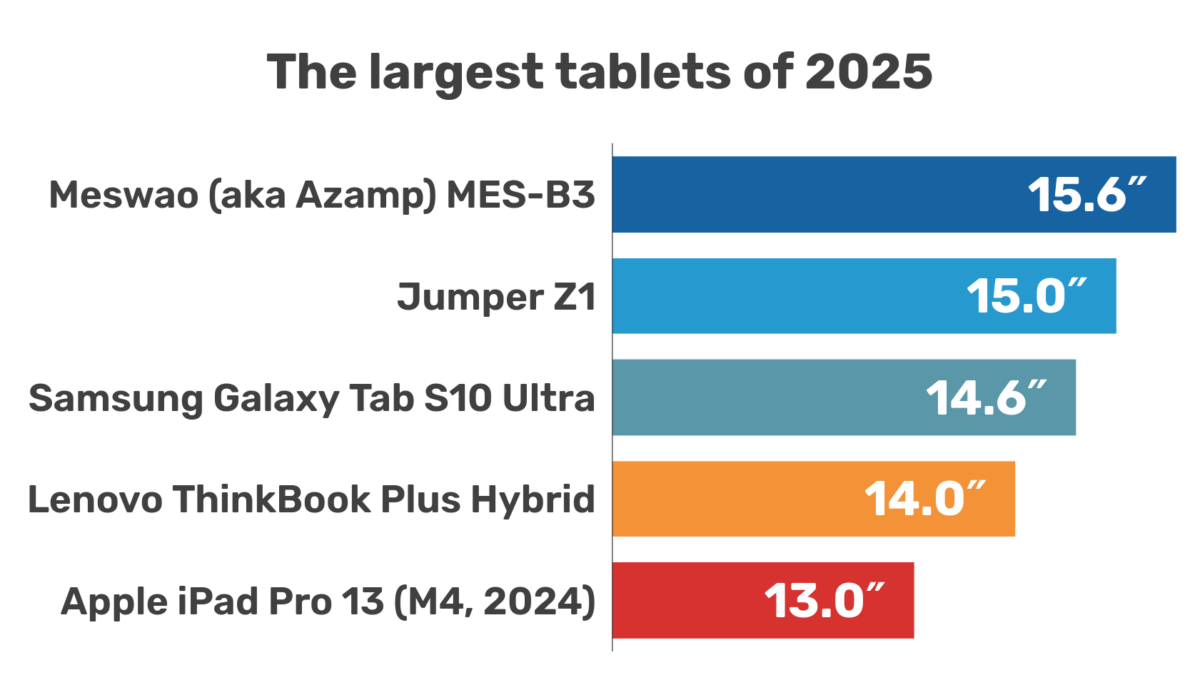
- The Samsung Galaxy Tab S Ultra series features a 14.6-inch screen with a 16:10 aspect ratio and an anti-reflective coating. There are four generations: the S8 Ultra (launched in 2022), the S9 Ultra (2023), the S10 Ultra (2024), and the S11 Ultra (2025).
- The TCL NxtPaper 14, released in 2024, has a 14.3-inch screen with a 3:2 aspect ratio, and a paper-like display treatment similar to Apples nano-texture screen option. Despite its fairly low maximum brightness, it’s one of the best affordable options for musicians.
- The Meswao MES-B3 is the largest tablet available, but it has little to recommend it beyond its huge 15.6-inch screen and its price.
There are also some genuinely large Windows 2-in-1 devices — check out my article on the best tablets for musicians for more info:
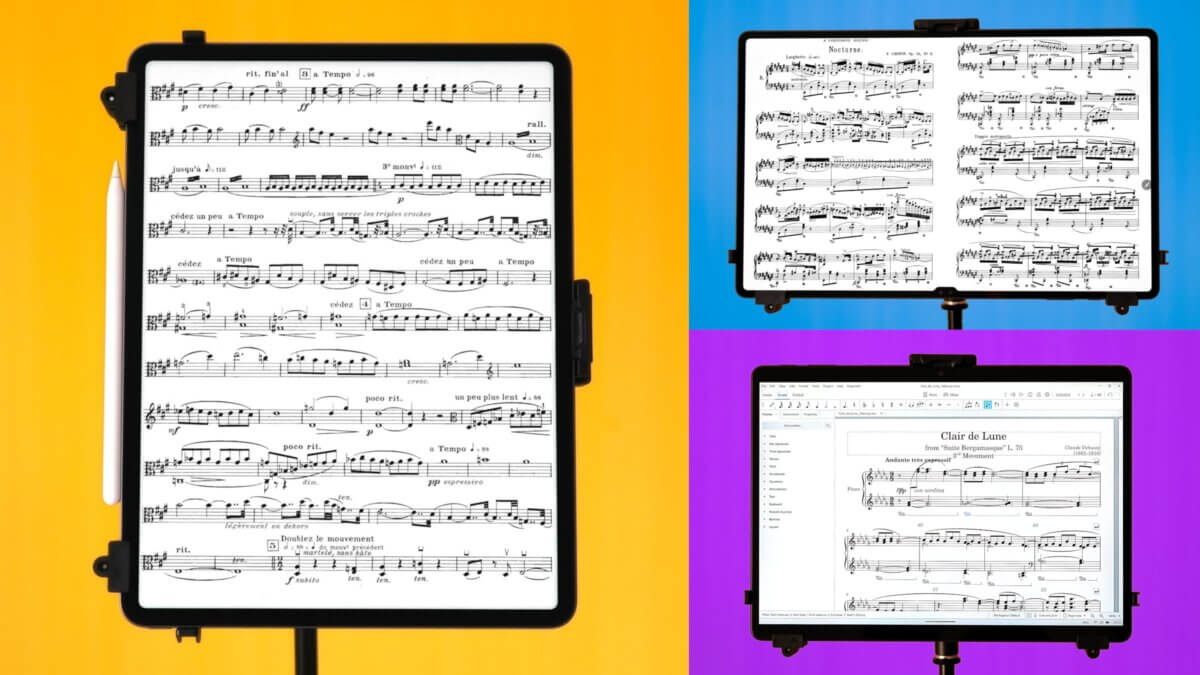
Music Education and E-readers
For teachers
For those old-school music teachers who only want to take notes and read sheet music (or books), an e-reader can be the perfect tool. For note-taking, the Play Store allows you to install One Note, Evernote or Google Keep, to name a few.
Keep in mind that e-ink screens are not made for dynamic, colorful or interactive applications, such as TuneKey, Complete Rhythm Trainer or Music Speed Changer.
For kids
E-readers have the “advantage” over tablets of being fairly unusable with applications such as YouTube, TikTok, or Instagram. Focusing on the voice or the instrument is probably easier when practicing with an e-reader than with a tablet.
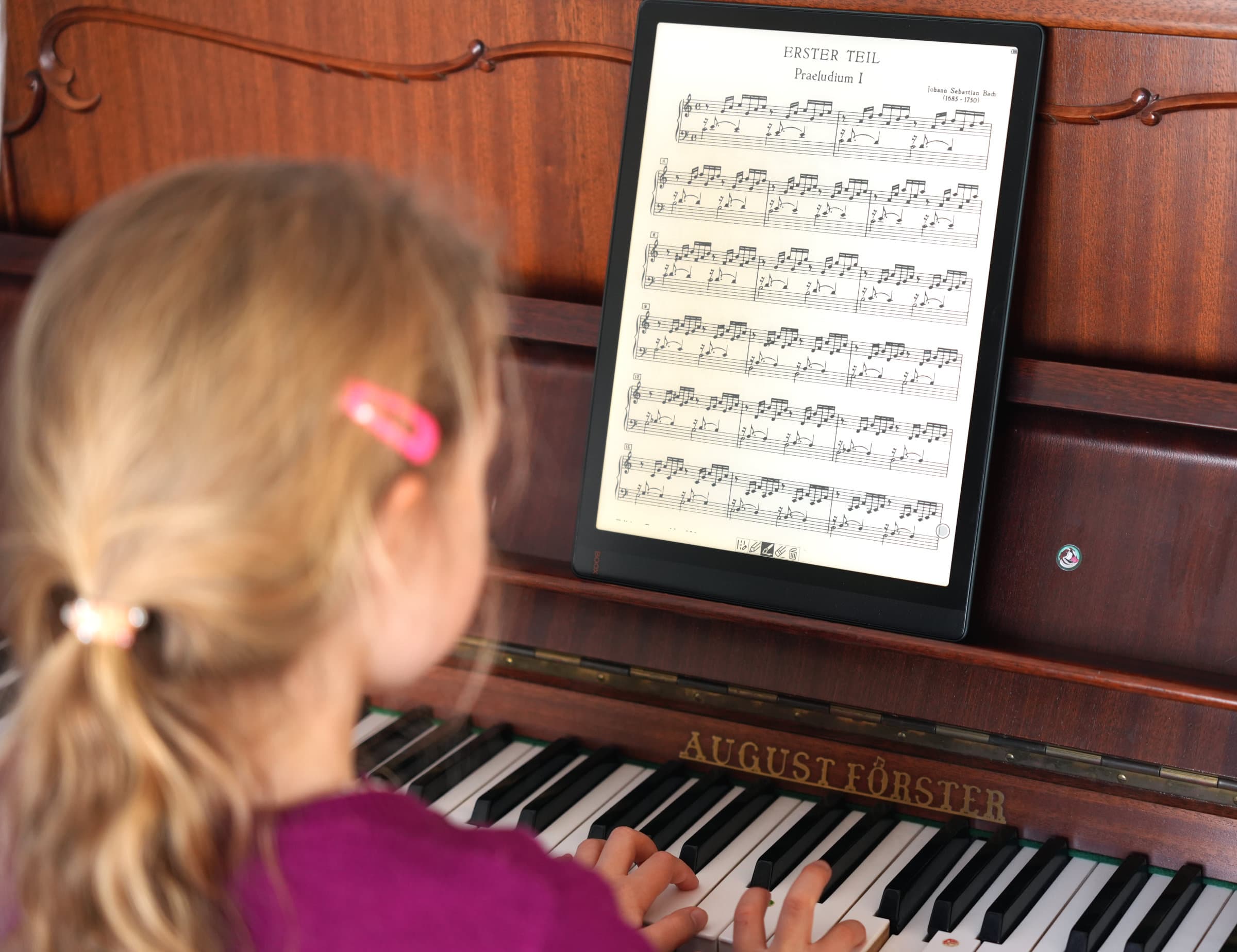
A piano lesson with an e-reader (completely simulated, my daughter having been kind enough to pose for the picture). Photo: tablets-for-musicians.com
For music students
An e-reader can be a great tool for music students to stay focused to study effectively. The appeal of YouTube, Instagram, or games is greatly diminished compared to a tablet. Other advantages include lightness (three to six times lighter than a laptop) and the convenience of taking notes on electronic paper.
For the self-taught
For autodidacts, especially beginners, an e-reader is probably not the best choice. Instrument-learning apps like Simply Piano and Flowkey for pianists, Yousician for guitarists, or various music theory apps (like Complete Music Reading Trainer) work best on tablets.
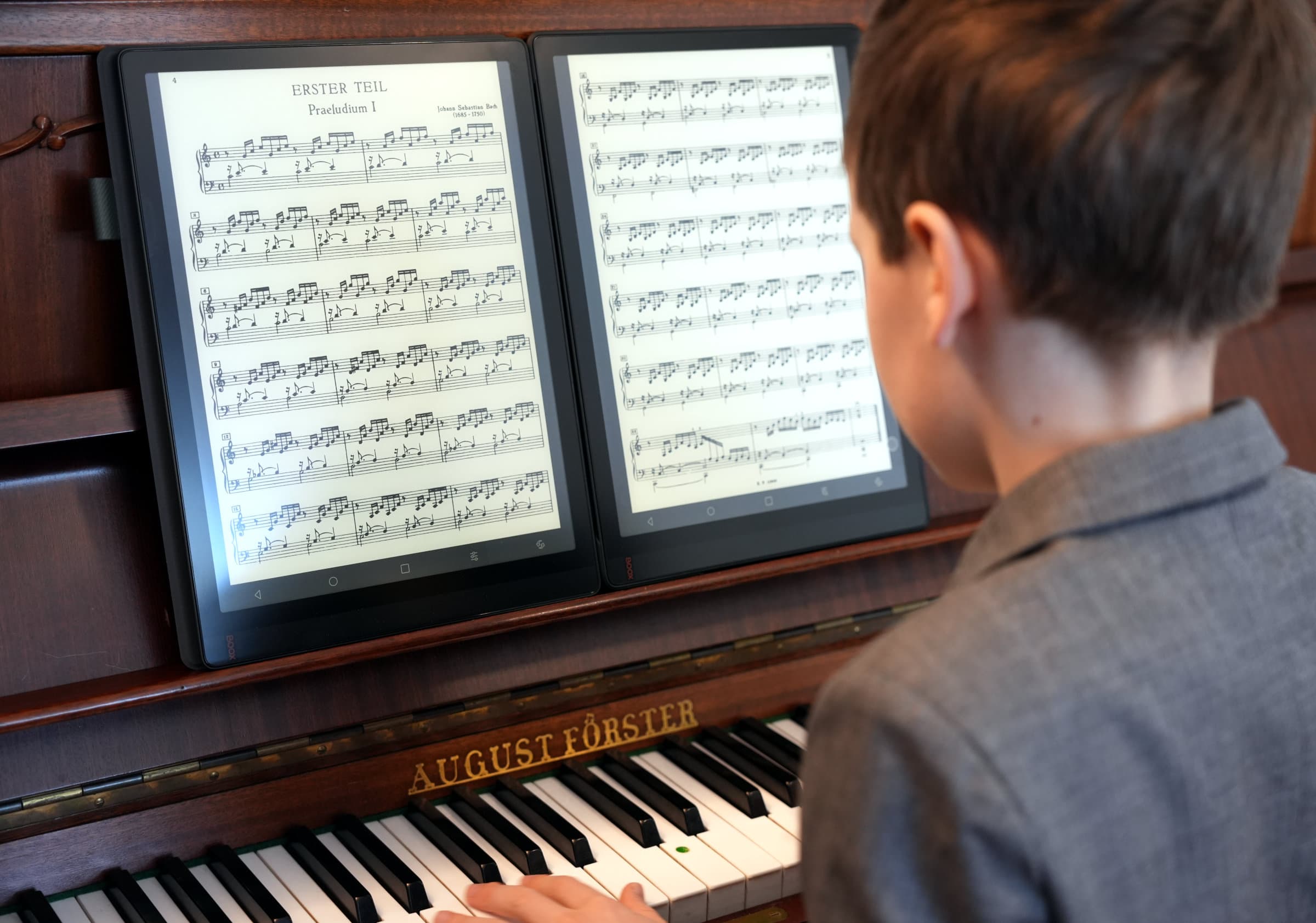
With two e-readers, piano practice gets a boost of motivation! Photo: tablets-for-musicians.com
Musicians should avoid these e-readers
Fujitsu Quaderno e-readers
The first generation of Fujitsu Quaderno e-readers was released in 2019, with two variants corresponding to the A5 and A4 paper sizes. (These paper formats are used worldwide, except for North America and parts of Central and South America). The Quaderno A4 is one of the few e-readers to have the size required to display sheet music.
In 2021, Fujitsu released the second generation of its Quaderno e-readers, updating the electronic paper to the best version at the time, the “E Ink Carta 1250”.
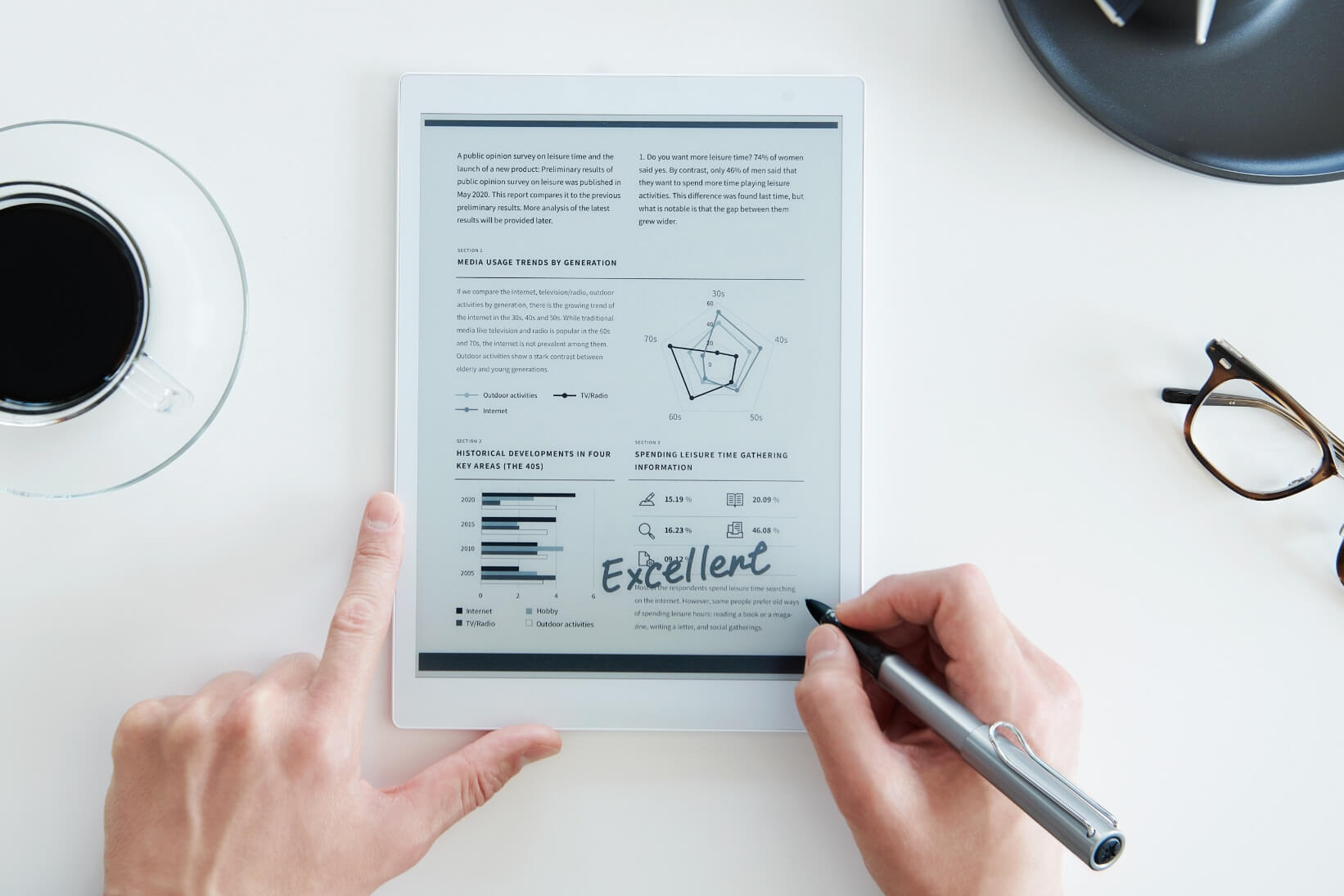
The Fujitsu Quaderno A4 is primarily designed for the Japanese market (picture of the 2nd gen Quaderno). Photo: Fujitsu Quaderno
A 3rd generation constantly pushed back, but finally “available”
The third-generation “Fujitsu Quaderno” A4 and A5 e-readers upgraded with the new Kaleido 3 electronic ink were expected in 2023. At the end of that same year, it seemed that the very future of the Quaderno line was uncertain.1
Finally, several years late, the 3rd generation Quaderno was announced in early 2025. It remains aimed at the Japanese market, but can be imported via the Fujitsu Quaderno Store, a front-end to the renowned Good E-Reader website.
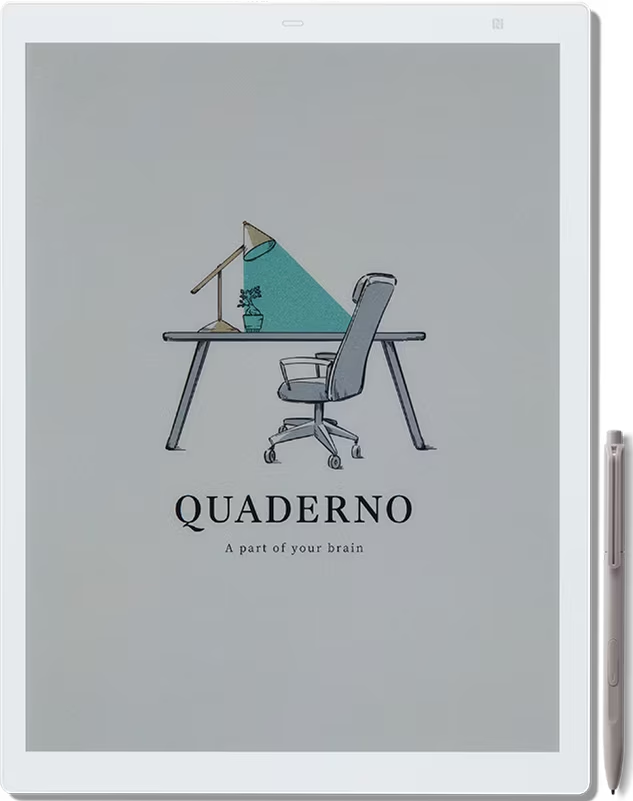
Third-generation Fujitsu Quaderno e-readers have color screens. Picture: Fujitsu Quaderno
The Quaderno A4 Color has a 13.3-inch Kaleido 3 flexible screen with a monochrome resolution of 1650 × 2200 (207 DPI). This is a lower resolution than black and white readers based on Carta 1300 technology, which achieve 300 DPI.
The Quaderno A4C can display 4096 colors, but the color resolution drops to 103 DPI. As usual with color readers, the number of colors available for writing or annotating (text or sheet music) is limited, Fujitsu has chosen eight colors.
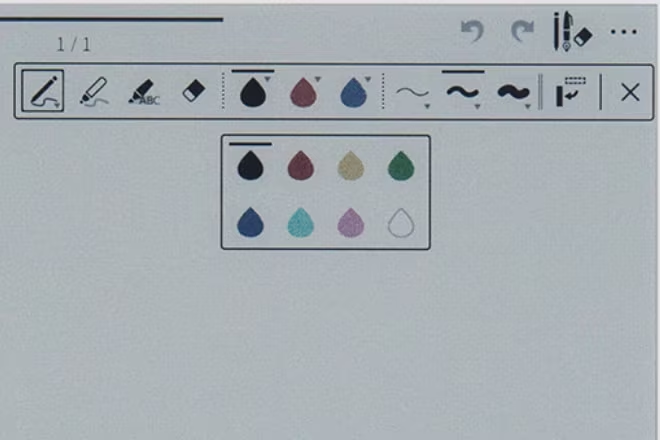
User-available colors on 3rd generation Quaderno. Screenshot: Fujitsu Quaderno
Fujitsu Quaderno e-readers run Android, but without access to the Play Store. This means that the most popular score-reading apps such as MobileSheets, MuseScore or IMSLP cannot be easily installed.
Quaderno e-readers come with a stylus and support for Bluetooth pedals. They can theoretically be used to read sheet music, but their limited availability in much of the world makes them difficult to recommend (outside of Japan).
The reMarkable Paper Pro: An awesome e-reader, unfortunately without Bluetooth support
The reMarkable Paper Pro, released in September 2024, is the first e-reader featuring a large 11.8-inch color display. This screen size is unusual, and lies halfway between the large 13.3-inch e-readers and the 10.3-inch e-readers, with the latter being closer to half-letter (or A5) paper size.
At 71% of the size of a sheet of Letter paper (69% of the size of a sheet of A4 paper), the reMarkable Paper Pro is, in my opinion, too small to read scores comfortably. However, it’s certainly possible to use it occasionally, especially for instruments where the player is physically close to the score, such as piano or voice.
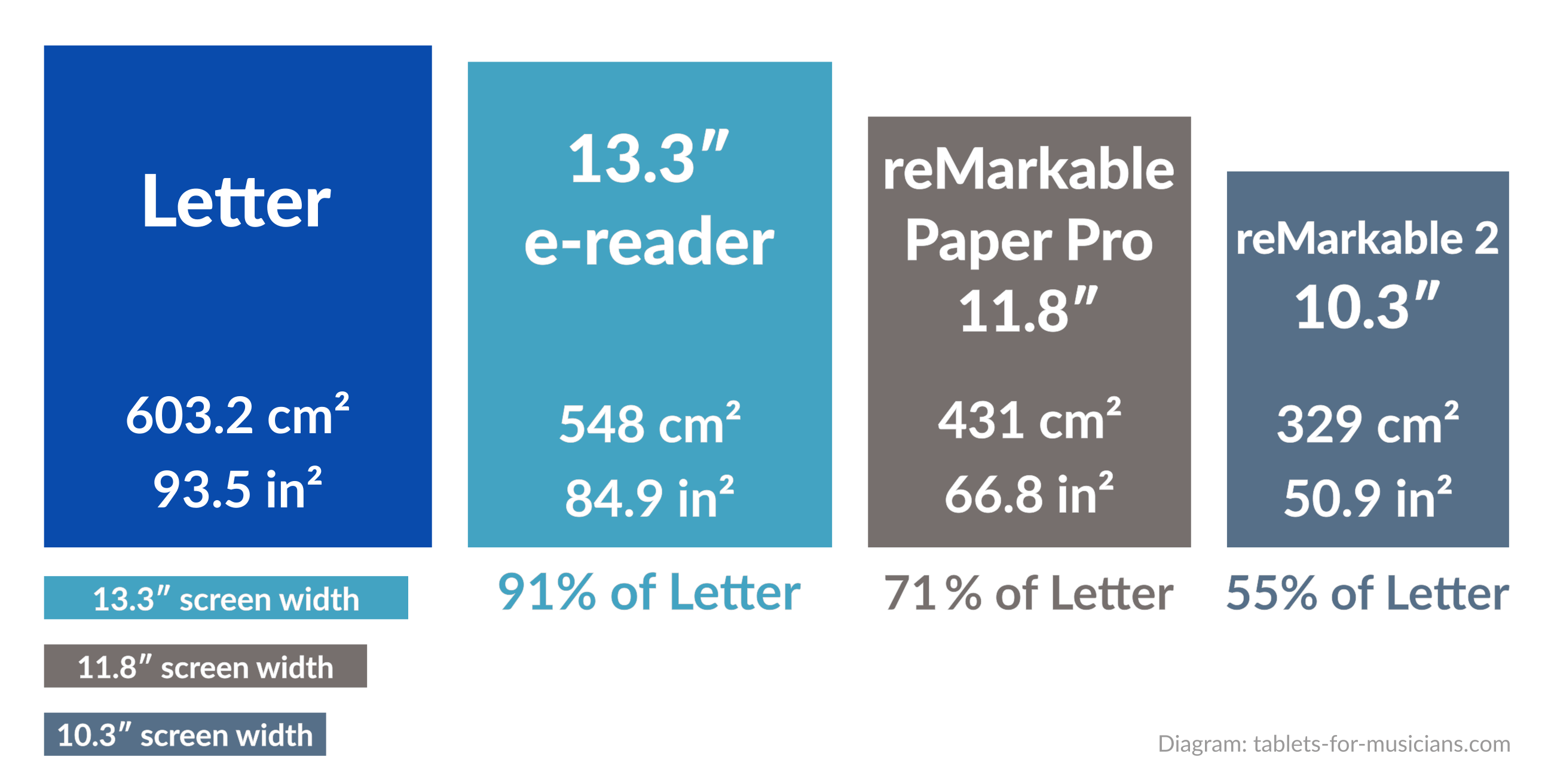
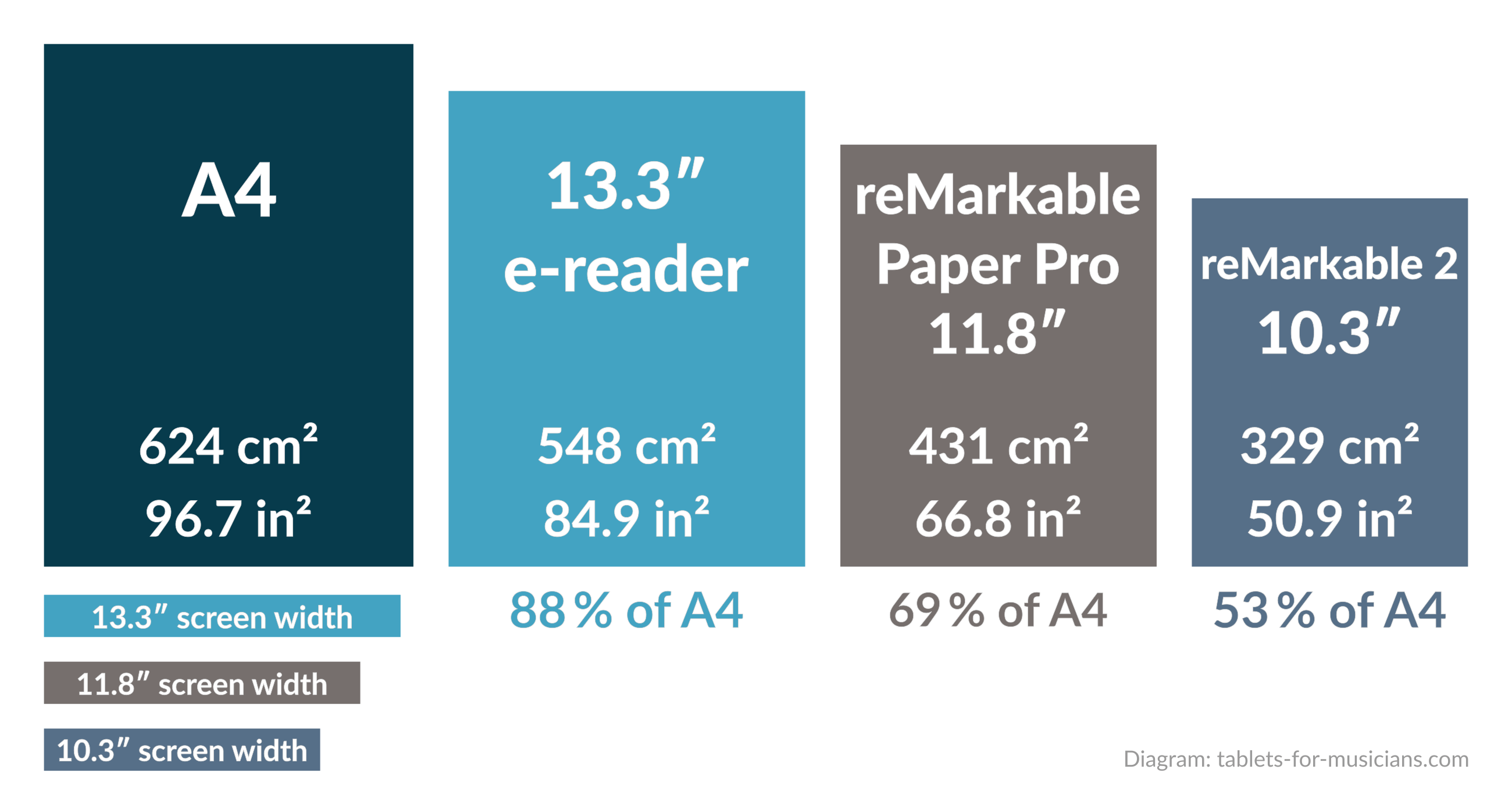
The screen of the reMarkable Paper Pro is roughly two-thirds the size of a sheet of paper.
The reMarkable Paper Pro’s color E Ink display uses E Ink’s “Gallery 3” technology. It is the first large-format e-book reader with this technology available outside of Asia. Colors appear more natural and less washed out with Gallery 3 than with Kaleido 3 technology, but the screen refresh rate is significantly slower.
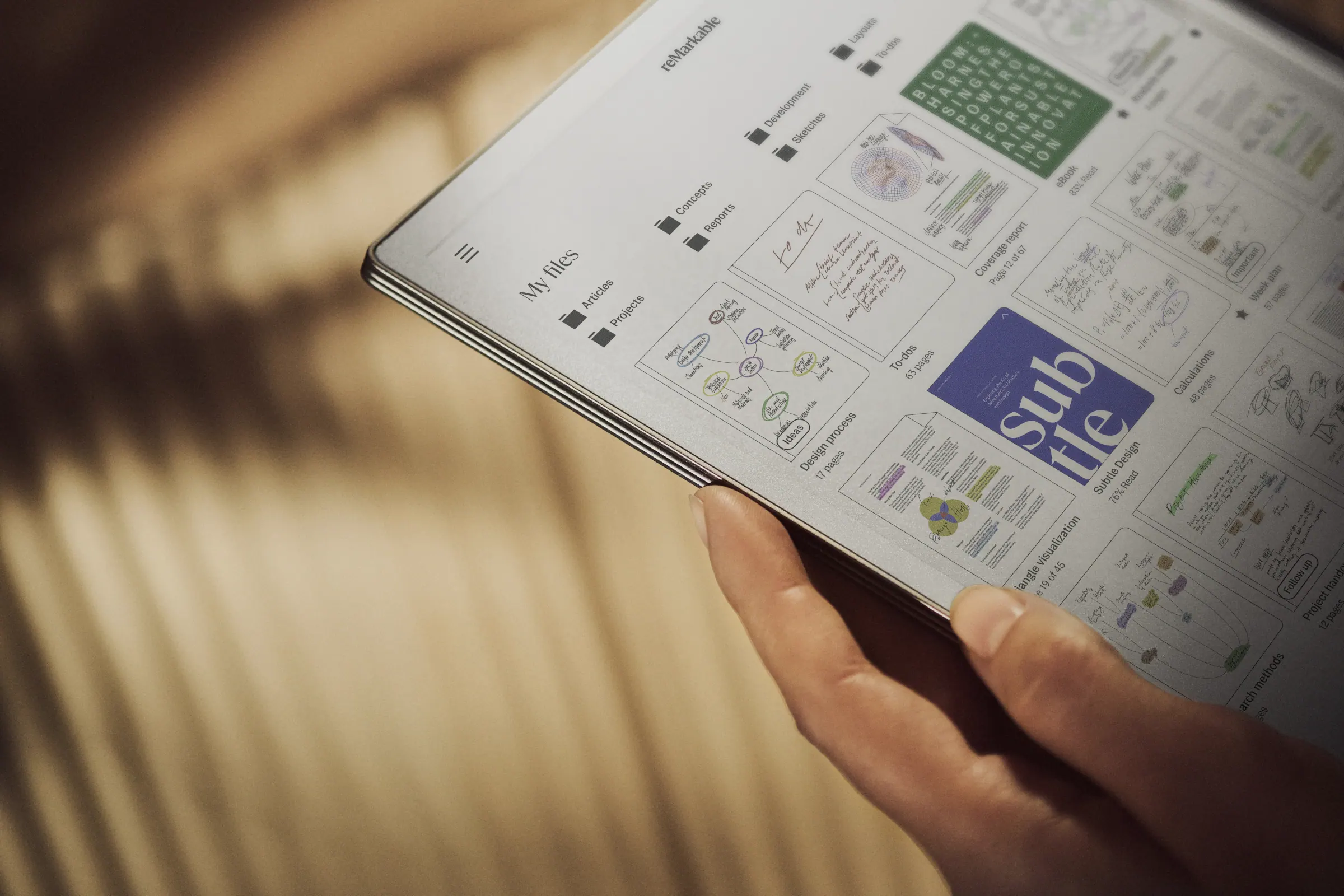
The reMarkable Paper Pro, one of the few e-readers with a large screen and color e-ink display, is not compatible with Bluetooth page turners. Photo: reMarkable
I would have loved to test the reMarkable Paper Pro for reading sheet music, but it lacks two essential features:
- Like all reMarkable e-readers, it doesn’t support Bluetooth. So there’s no way to connect a foot pedal to turn pages, or to use a keyboard other than the (expensive) official “Type Folio” keyboard.
- Due to the closed operating system, there is no access to sheet music reading apps, neither via an app store nor via APK packages.
The reMarkable Paper Pro might be suitable for singers, especially choristers, as they usually don’t need a page-turning pedal. It also weighs only 525 g (1.16 lb), making it easy to hold during long rehearsals.
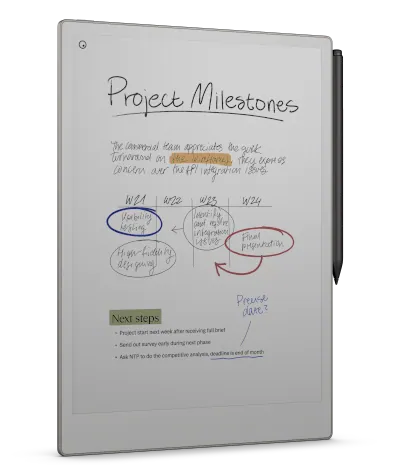
E-readers designed for the Asian market
There are two further e-readers whose size is suitable for reading sheet music. Unfortunately, these are not intended for the American or even global market. These are the following models:
- The Dasung Not-eReader 133 (sic) is equipped with a 13.3-inch Carta 1250 e-ink display with a resolution of 2200 × 1650 pixels, a Qualcomm Snapdragon 660 processor and 4 GB of RAM. Despite its recent release (late 2023), it runs Android 9, a completely outdated version, which makes it difficult to recommend.
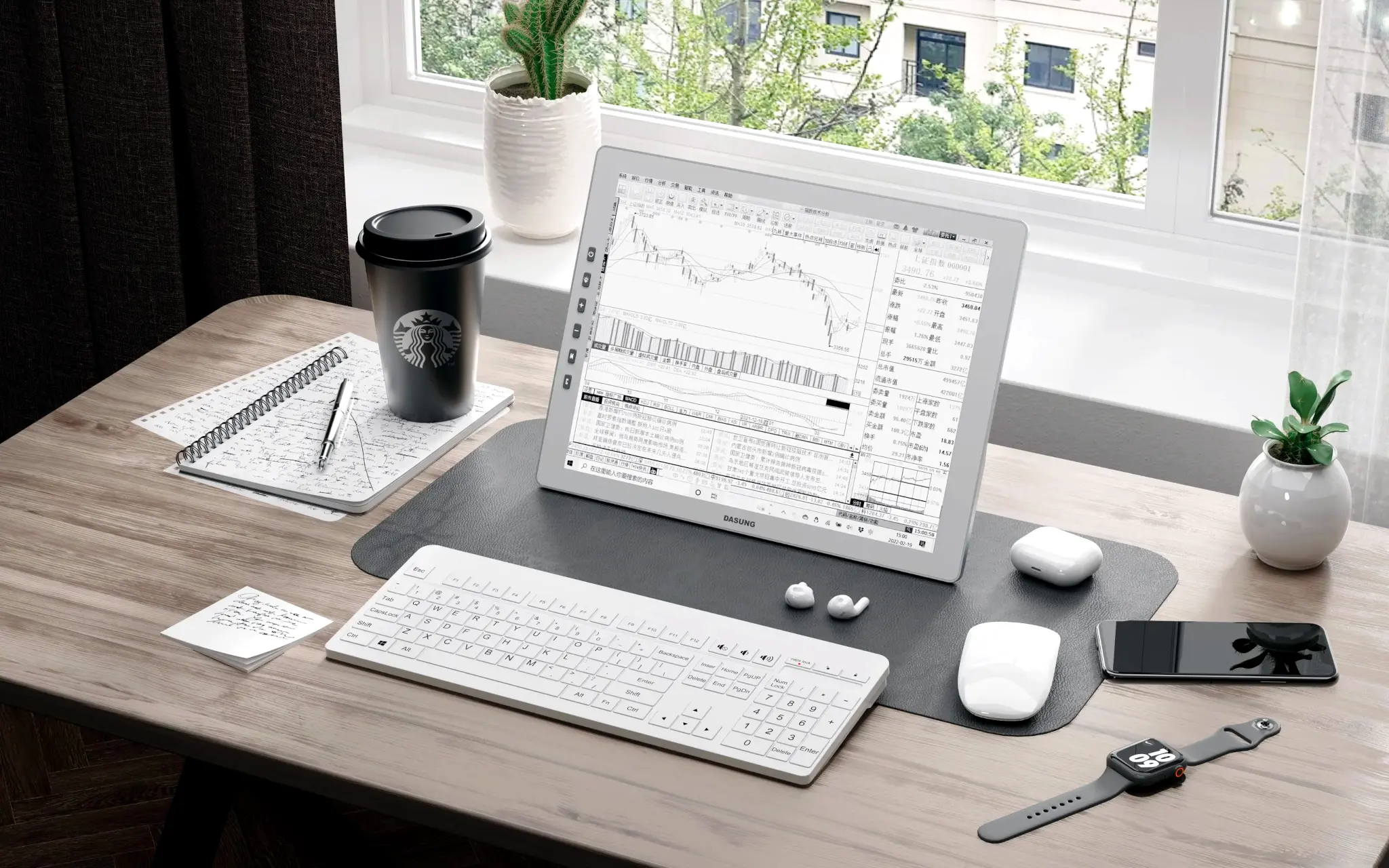
The Dasung Not-e-Reader 133 is aimed at the Chinese market. Photo: Dasung
- The Hanvon N10 Max 2024 is also equipped with a 13.3-inch display manufactured by Linfiny. While it runs a less outdated Android 11 version, its processor (the Rockchip RK3566) is the same as in the Lenovo Smart Paper. This is not good news, since it struggles to run even the simplest applications.
Even though their e-ink screens are excellent, these two e-readers fall far short of the Boox Tab X in terms of performance, software support, and adaptation to the global market. Musicians, move on!
E-readers too small to read sheet music
The reMarkable 2: not a good option for musicians
The reMarkable 2 is a beautiful e-reader with a two-week battery life. Presented as “the thinnest tablet in the world” (0.19 in), it is also very light (0.89 lb).
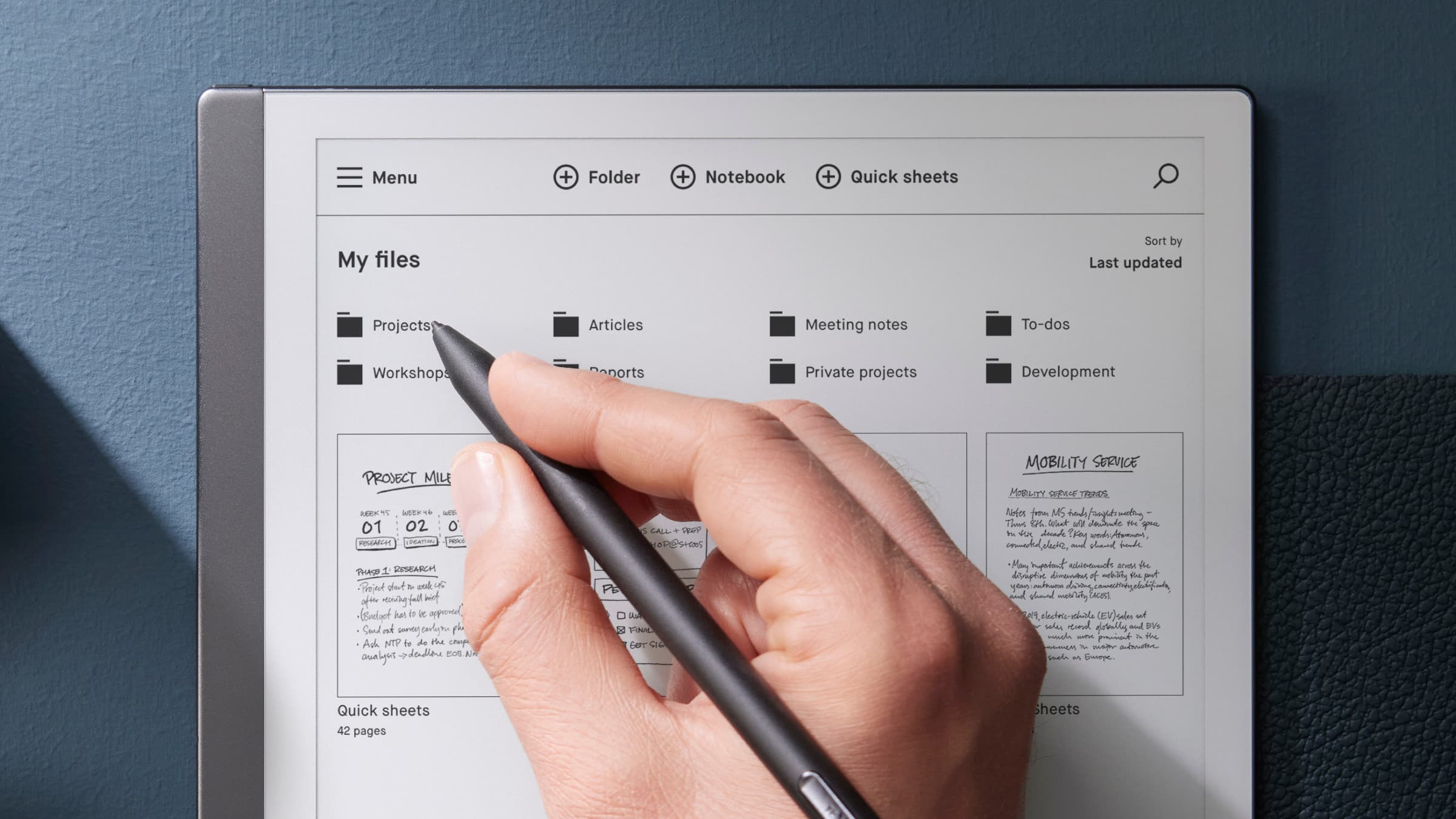
The reMarkable 2 is a fantastic tablet, but not for musicians. Photo: reMarkable
Unfortunately, the reMarkable 2 does not run on iOS or Android. It is limited in terms of apps: forScore, MuseScore or MobileSheets are not available, nor any other music production or notation software.
Another dealbreaker is the lack of Bluetooth support, a real problem for connecting a foot pedal / page turner. This makes the ReMarkable 2 useless for almost all performing musicians.
Onyx BOOX Tab X C – 13.3″ color ePaper Tablet PC – E-Reader with E-Ink
PadMu 4 – E-Reader for Musicians*
Please note: The PadMu 4 is not available on Amazon in the US and in Canada. The official PadMu website offers worldwide delivery.
Onyx BOOX Note Max – 13.3″ ePaper Tablet PC – E-Reader with E-Ink


- Good E-reader, The Fujitsu Quaderno is at a crossroads, October 18, 2023
17 thoughts on “The best e-readers for musicians (2026 update)”
Hello, and thank you for the great review. I’m getting a used Boox Tab X for $550.
My question is on your recommendation for a stand. What you recommended was K&M 19775 Biobased Tablet Holder. I’m 6″3′. Will I be too tall for this stand?
Mike
Thanks for the comprehensive reviews! It is perhaps useful to keep in mind that fujitsuquaderno.com is not an official Fujitsu website, see
https://www.reddit.com/r/FujitsuQuaderno/comments/1jlnxn3/reminder_that_fujitsuquadernocom_is_not_an/
Meanwhile we also have two Onyx Boox 13″ devices: the Note Max and the Tab X C. Both have relatively dark screens, it will be interesting to see which one gets more preferences by musicians.
Great reviews, thank you!
My eyesight is not great, so I’m looking for the largest screen possible, and also something that is easy on the eyes if I want to read e-books. But I notice the Onyx Boox Tab X does not have a front light. Does this mean if I was performing on a dark stage or with little lighting, it would be too difficult to see? Most people in my ensemble use an iPad pro, but I am after something where I can read books as well (and I hate reading ipads). Just wondering if this front light thing will be an issue. Thanks for the advice!
Hi Joey,
The Boox Tab X (2023) has a front light, but the Boox Note Max (2025) does not.
As a consequence, it is problematic (or impossible) to read music (or anything else) on the Note Max against the light. It gets uncomfortable in low light, but music stand lights can help. So it is really a pity that the Note Max does not have a front light!
I hope this helps!
I’m trying to decide between iPad, Tab Ultra, and an e-ink reader. The recent Boox Note Max announcement is intriguing, although no release date was announced.
Have you used the Sibelius app on the Tab X? I’m wondering how the experience is as I would like to use this device for arranging music in addition to the primary use case of reading music through MobileSheets.
Hi, Greg,
First of all, I’d advise you to check whether the software you intend to use is available on iPad and Android tablets. A 13-inch iPad Pro or a Samsung Galaxy Tab S9 or S10 are really top-notch for reading sheet music, so choose the system (Apple or Android) you prefer!
As for the 13-inch iPad Air, its screen is a little worse than that of the S9 and S10 Ultra: placed next to each other, it’s striking.
I’m (superficially) testing Sibelius for Android on my S9 Ultra, but I’ve never tried it on an e-reader (I’ve sold my Boox Tab X, as its successor will probably be out soon). I think Sibelius is much nicer to use on a tablet than on an e-reader.
For editing music, a Windows 2-in-1 is probably the best solution. Otherwise, there’s a unique device, half Android tablet, half Windows PC, the Lenovo ThinkBook Plus G5 Hybrid. Unfortunately, it’s super expensive, but it’s perhaps the perfect tablet if you want to read sheet music AND use a scorewriter.
Cheers!
As a music teacher I am constantly using my remarkable2… you can cast the screen mark up music etc and send pdfs super easily!!
I am looking at the remarkable pro currently because the backlight could make it usable but yes pageturns are an issue still…. I heard this is going to be fixed in a later update, there is latent Bluetooth connectivity in the hardware! Hoping for the best.. I really enjoy having something dedicated and not connected to the internet directly to distract me with notifications etc.
Dear Johannes,
I have played the oboe for almost 50 years. I’m looking to purchase an e-reader that will enlarge the page, so I can see it more clearly.
The vision in my left eye has been getting more and more blurry over the past year. I need the e-reader to enlarge music, so the screen needs to be the largest possible. Big enough to make the music 5% to 8% larger. I haven’t played an outdoor concert since junior high, so a glare on the screen wouldn’t be an issue.
Which reader would you recommend for the ability to enlarge the pages? Would also need to be able to use a Bluetooth page turner.
Thanks,CB
Dear CB,
Especially because your sight is not good anymore, I would not recommend an e-reader, but a tablet.
I have practiced for hours and hours with a tablet and an e-reader side-by-side, and really, tablets are easier to read most of the time, especially indoors.
To really be able to enlarge music, I can recommend using any of the following tablets in landscape mode. You’ll have to turn pages twice as often, but the music will be really bigger and comfortable to read:
The Samsung and Lenovo tablets are even wider than the 13-inch iPads in landscape mode, which means that the sheet music will get really big!
Any of these tablets will work with any Bluetooth page turner.
I hope this helps!
Johannes
Hello,
A very nice overview and site, thanks. As a professional violinist (somewhat 30 years now) I’m interested in these new way’s of reading music.
My orchestra (NNO, top of Holland) did twice a test with the iPadPro’s from Newzik. The hardware of this device is unique (and way too powerful for only reading and annotating music of course). My biggest problem was – in fact – the screen. I study at home from a 27-inch iMac. Reading from this kind of screens (as you pointed out in e-reader v.s. tablet) is actually very tiring. This is why I write this comment. Your brain sees a picture while looking at a tablet (glass screen). This makes it difficult to concentrate on reading sheet music. In fact, you’re continuous scanning a picture in small parts. Tiring. Therefore an e-reader is always the best choice for (longer) reading sheet music.
Hopefully in the future bigger e-ink readers will be available because the Onyx is unbeatable the best at the moment, but also very small when you are used to playing from B4 format orchestral or chamber music. A music stand with a built-in E-ink screen is in my option the best solution. Keep up the good work,
best regards
Michiel
Dear Johannes
Thank you for comparing different readers and tablets. Could you elaborate a bit more on what you consider “significantly more frustrating” when using an e-reader? For example, does the music build up too slowly when “turning pages”? Does Mobile Sheets only work in a limited way?
I would need the reader exclusively for piano sheet music and e-books, and had hoped that it would have advantages over a tablet in both fields in terms of readability.
Best regards
Bernard
Dear Bernard!
Even before I created this website, I practiced my parts using multiple tablets, an e-reader (PadMu, then Onyx Boox), and printed music side by side on several music stands. With the same score on multiple devices, you instinctively start looking at one device rather than another.
Initially, I thought I would prefer the “paper” aspect of e-readers. But in fact, I almost always look at a tablet rather than an e-reader. Especially indoors (and, oddly enough, in winter when there’s not much light coming in through the windows), I find the displays of e-readers less pleasant to look at.
Outdoors, this changes radically: with lots of natural light/sunlight, e-reader displays become magnificent and tablets displays anemic. So for me, it’s really a matter of light in the work environment.
The slowness of the display on e-readers isn’t a problem when you’re turning pages, but it’s more of a pain when you want to zoom in to annotate scores. There are lots of little details that make using an e-reader less convenient: no double-tap to wake up from sleep, no volume buttons, poorly organized menus, a less intuitive interface, no 5G/cellular option, and so on.
MobileSheets has the same functionality on e-readers as on tablets, so there are no issues in that regard.
I think this will change in the future. E-Ink technology is improving year after year, and so is the quality of e-readers. But for now, for music as for everything else, I still prefer to use a tablet.
Good luck!
Johannes
Hello,
Can you please tell me if it’s possible to easily pair two Onyx Boox readers or Padmu to have two pages? Most of my scores are on two pages, and I’ve been looking for a long time for a way to put them on an e-reader or tablet to play in concert.
Thank you,
Veronica
Hello Veronica,
Yes, it’s perfectly possible to pair two e-readers to display two pages of music side by side. You can connect :
— Two Onyx Boox with MobileSheets,
— Two PadMu with either PadMu Reader or MobileSheets,
— One Onyx Boox and one PadMu, with MobileSheets.
Enjoy your concerts!
Reply directed to Johannes…
Thanks for the response about pairing multiple e-readers to display two pages side-by-side. Do you know when displaying scores in this manner if it is possible to make annotations directly to the page being displayed on the secondary device? I currently use 2 iPad Pros with ForScore and Cue running in dual page mode. The problem I have is if I need to make an annotation to the page on the righthand side I have to turn the primary iPad to landscape mode to make the page appear on that device, make the annotation there, and then return the device to portrait mode to have the annotation appear on the second iPad. This is a cumbersome workaround, especially in the middle of a fast-paced orchestra rehearsal.
Hello and thank you for your site, it’s exactly what I was looking for. I’m a professional musician and I use the 12.9-inch-iPad with forScore, and it works great. But obviously, it’s not as comfortable as my Kobo e-ink e-reader (yes, I read a lot of books), it’s quite tiring on the eyes.
I’m considering buying the Onyx Book Tab Ultra because of its format and the e-ink. On the other hand, forScore won’t run on it, will it? I’ll have to switch to another software. Is there any other software as good as forScore in the Android world? Thank you and have a nice day.
Hello Strav,
Indeed, forScore does not run on the Onyx Boox Tab Ultra*, nor on the “C” variant with color display*, nor on other Android devices. By the way: The Boox Tab Ultra variants have 10.3-inch screens, which are rather small for reading scores.
The Android equivalent of forScore is Mobile Sheets (formerly Mobile Sheets Pro). Personally, I prefer it to forScore.
In my experience, except in specific cases (e.g., if you mainly play outdoor concerts), working with an e-reader is much more frustrating than with an iPad or a good Android tablet.
Best regards,
Johannes