
The Henle Library is one of my favorite sheet music reading apps.
The best sheet music apps for iPad, Android and Windows tablets
Last updated on June 26, 2026
In order to manage your digital sheet music on a tablet or iPad, you will need to choose a sheet music app. A good sheet music reading app can manage a large number of files (mostly in PDF format), quickly find the right score, create playlists or setlists, and let you annotate the music.
If you’re on Android or Windows, you’ll probably want to turn to MobileSheets, which has little competition on either platform. On the other hand, if you have an iPad, the options are numerous and the choice much more difficult. Don’t worry though, the apps presented here are all very capable and mature, and there’s no such thing as a bad choice!
 I am a classical musician (violist) with 20 years of professional experience in orchestra and chamber music. For many years, I have helped colleagues, students, and fellow musicians choose the right tablet.
Along with the many positives of using tablets / iPads, I’ve also seen the negatives: tablets crashing just before going on stage, batteries dying during long rehearsal days, and page-turner pedals going missing right before a concert.
Table of contents
1. The best sheet music apps for professional musicians
Choose a main sheet music app to read your scores and manage your digital sheet music library.
The following apps are the best options for centralizing all your scores. They can import and manage large sheet music libraries, and they are the best choice if you already know where your sheet music will come from.
Use these apps if you plan to import sheet music from sources such as:
- PDFs from your orchestra, band, or school
- Scans from your iPad, phone, or traditional scanner
- Downloads from digital sheet music platforms
- Existing digital sheet music collections
There are only three apps that I can recommend to almost any musician as a primary application for both managing a digital score library and reading (and annotating) sheet music: MobileSheets, forScore and Newzik. All three are excellent applications, and I use at least one of them for my daily practice and have tested them extensively in rehearsals and concerts.
1.1 MobileSheets: a super-configurable powerhouse for large music libraries
Available on iPad and iPhone, Mac, Android tablets and phones, and Windows.
MobileSheets is fairly new to the iPad, but has been around for many years on Android tablets and Windows devices. It may not look as beautiful or stylish as forScore or Newzik, but it is definitely the most customizable sheet music app available. Here are two standout features that I personally find invaluable:
- Highly configurable: MobileSheets offers an unmatched level of configurability. For example, I love the option to automatically move the page below the toolbar when annotating—something I really miss in forScore and Newzik. You can also assign custom actions to gestures; for example, I use a two-finger tap to “undo” and a three-finger tap to exit the annotation mode. This saves a lot of time when writing down bowings or fingerings.
- Built for large libraries: MobileSheets is the best app for managing really large digital music libraries. Scores can be easily sorted and filtered, and in addition to the usual setlists, you also have “collections”, that act as sub-libraries for even better organization.
MobileSheets supports importing files from Dropbox, Google Drive, and OneDrive. However, it doesn’t offer built-in access to commercial sheet music catalogs or publishers. It has extensive backup and sync capabilities, but is mostly a local, “non-cloud” application.
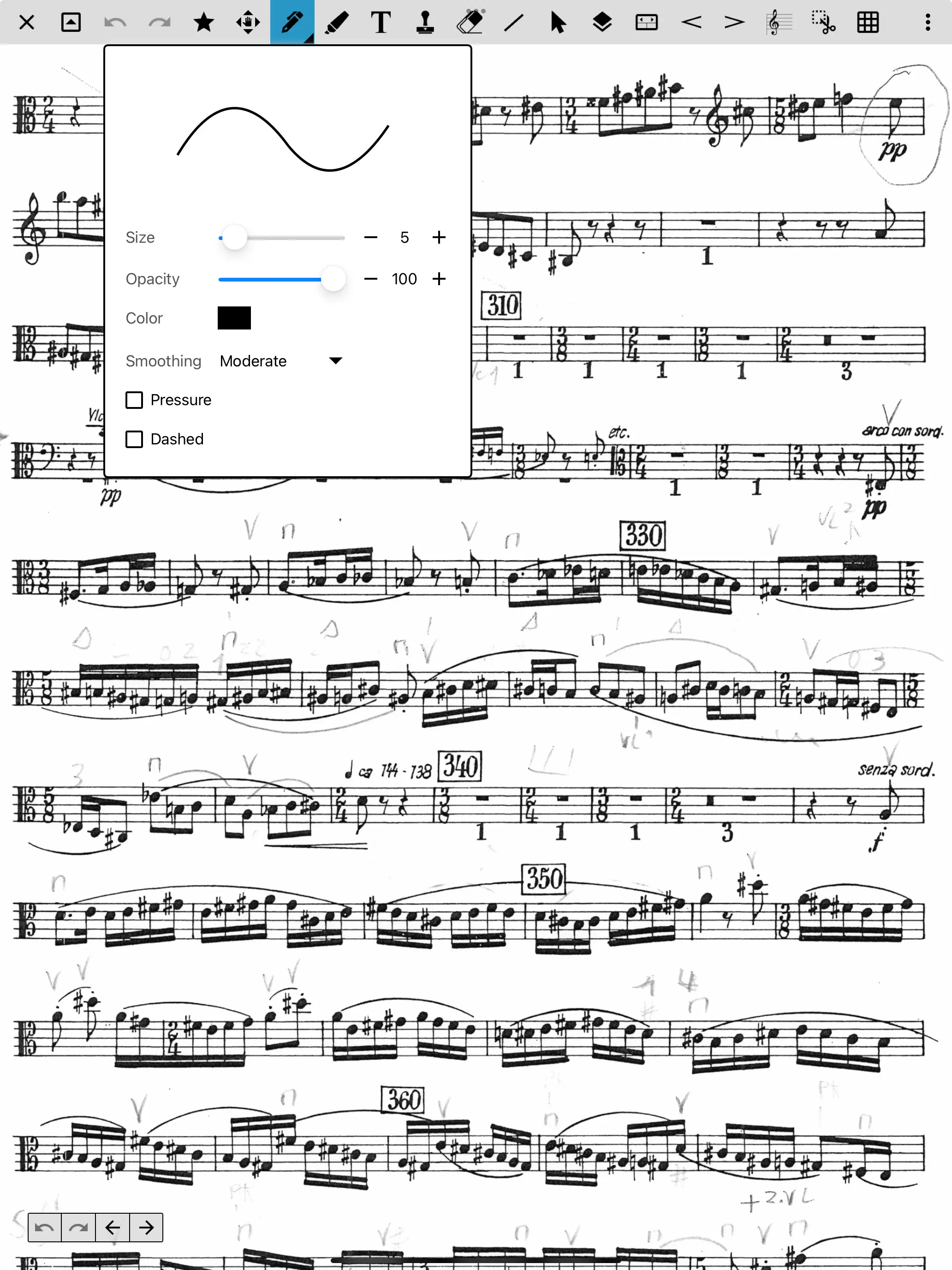
The MobileSheets interface is not likely to win an award for the prettiest design, but it is efficient and stays out of the way. Screenshot: tablets-for-musicians.com
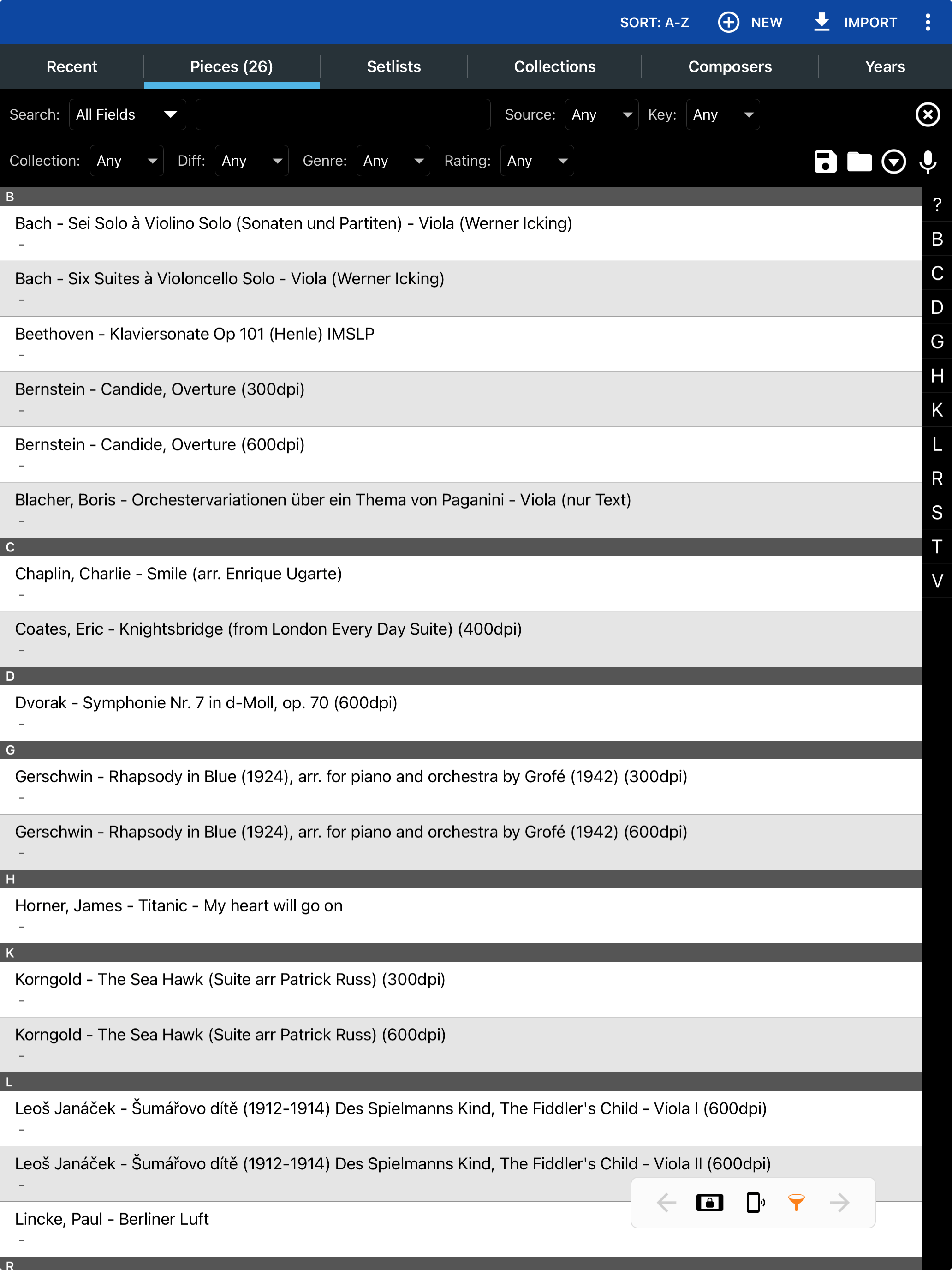
MobileSheets is ideal for managing a large library of digital sheet music. Screenshot: tablets-for-musicians.com
How to import sheet music into MobileSheets: Although MobileSheets has a 200 page manual, it only briefly describes how to import sheet music. I recommend this video on the official YouTube channel. If you have any trouble importing music, use the comments section below to ask for help!
MobileSheets is less expensive than its competitors and is a one-time purchase. There’s also a free trial version called MobileSheetsTrial (sic), which is limited to 8 songs.
Pros
- Very complete and mature application
- Advanced sheet music library management
- Excellent library synchronization, backup and export functions
- Multi-platform
- One-time purchase ($15,99 USD) for all functions!
Cons
- No built-in tuner
- Steep learning curve
- The latest Apple Pencil Pro functions (such as squeezing) are not yet supported
- The “MobileSheets Companion” desktop application is available only on Windows (but it’s not necessary)
Useful links
1.2 forScore: the reference application on iPad
Available on iPad, iPhone, Mac, and Apple Vision Pro.
The forScore app was one of the first sheet music apps available after the release of the first iPad in 2010. Needless to say, it has had time to be refined, and it is not for nothing that it has become the reference in the field.
forScore is the leading sheet music app among professional musicians—and for good reason. It combines a beautifully designed interface with advanced annotation tools, a tuner, a metronome, and everything else you can think of. Most important, it’s super reliable and won’t let you down in the middle of a performance.
forScore integrates with sheet music providers and publishers such as Musicnotes, Noteflight, Virtual Sheet Music and Carl Fischer. However, it works perfectly as an offline, device-based app.
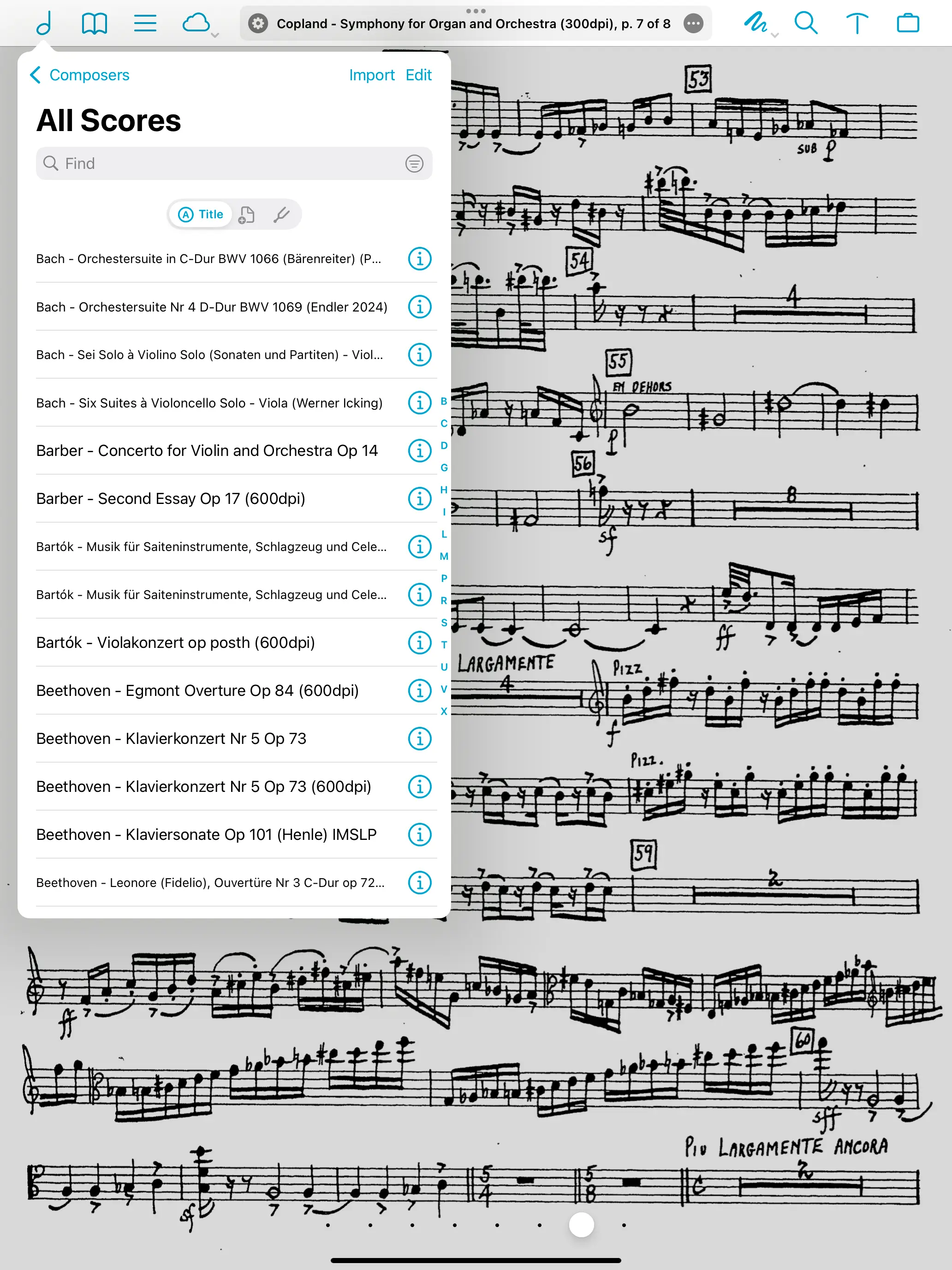
forScore is a beautifully designed, fantastic app, but its dialogs are small and longer song titles are cut off. Screenshot: tablets-for-musicians.com
How to import sheet music to forScore: forScore has a dedicated section called “Adding Files” in its user guide. While it is useful, I prefer the tutorial by my fellow violist Elizabeth Knaub on her blog “Life from the Viola Section”.
While forScore isn’t free, it’s a one-time purchase that’s well worth the money. There is also a reasonably priced “forScore Pro” subscription that adds a few optional features that most users probably won’t need.
Pros
- The reference application for iPad
- One-time purchase ($24.99 USD) for nearly all features. No subscription to forScore Pro required for normal use.
- Many excellent tools (tuner, remote control via iPhone, etc.)
- Very good integration with iPadOS
- iPhone and Mac versions
Cons
- Google Drive integration not particularly polished
- Long file names not displayed in full
- Annotation toolbar overlaps the first staff
- Only available on Apple devices
Useful links
1.3 Newzik: unique features and collaboration tools
Available on iPad and iPhone, all platforms as a web app (via any browser).
MobileSheets and forScore are the work of individual developers based in Oregon and Washington State, USA. In contrast, Newzik is a company with a team of a dozen people based in Paris, France.
This is certainly what enables Newzik to offer features not available from the competition:
- Optical music recognition and LiveScores: Newzik can analyze your sheet music (including PDFs) using optical music recognition (OMR). This feature converts your scores into so-called “LiveScores” that you can transpose and play back at the tempo of your choice. It doesn’t work perfectly, but it’s pretty impressive and can be really useful. LiveScores can be exported as a MIDI file or as a MusicXML file. These can then be edited in most scorewriters, including Dorico, Sibelius and MuseScore.
- Large ensemble support: Newzik is the only mature solution for large bands and orchestras. It supports renting and buying scores (from all these publishers!) and distributing parts to the musicians. It’s also possible to share score annotations (dynamics, fingerings, bowings) in real time with other Newzik users (a feature only available in the competing app Dimusco).
Newzik relies heavily on the cloud (for example, to generate LiveScores), but it can also be used offline.
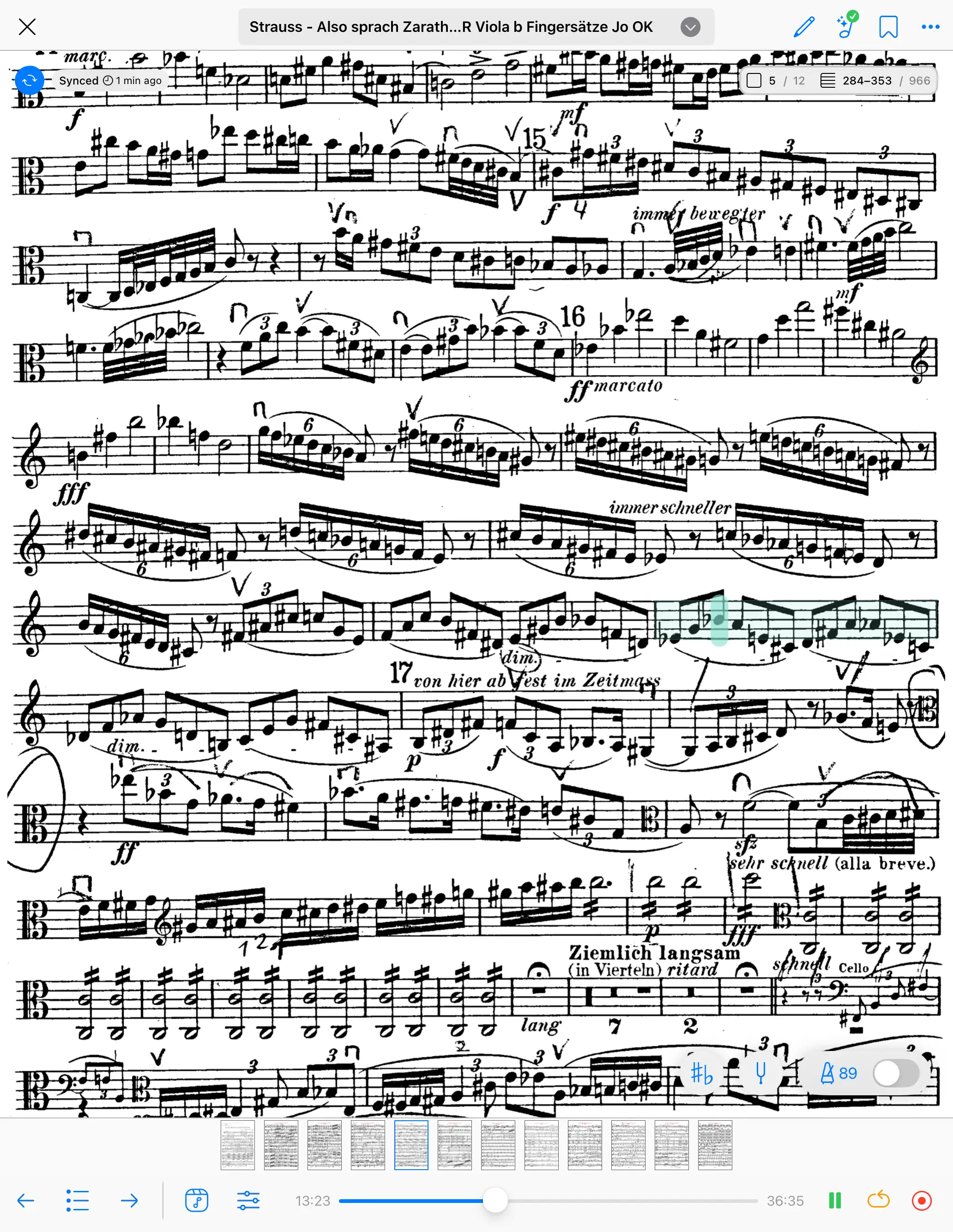
Newzik is an amazing app and its LiveScores are unique, but the music recognition struggles when it gets too complicated. Its interface takes up a quite a lot of space and often overlaps with the score. Screenshot: tablets-for-musicians.com
To be a bit critical, this large number of features goes hand in hand with a number of imperfections. Music recognition takes time, and the interface takes up a lot of screen space.
Newzik still has trouble playing complex scores, and in my case (viola scores) tends to play all the notes in tremolo, which is very annoying… But when it works, it’s magical!
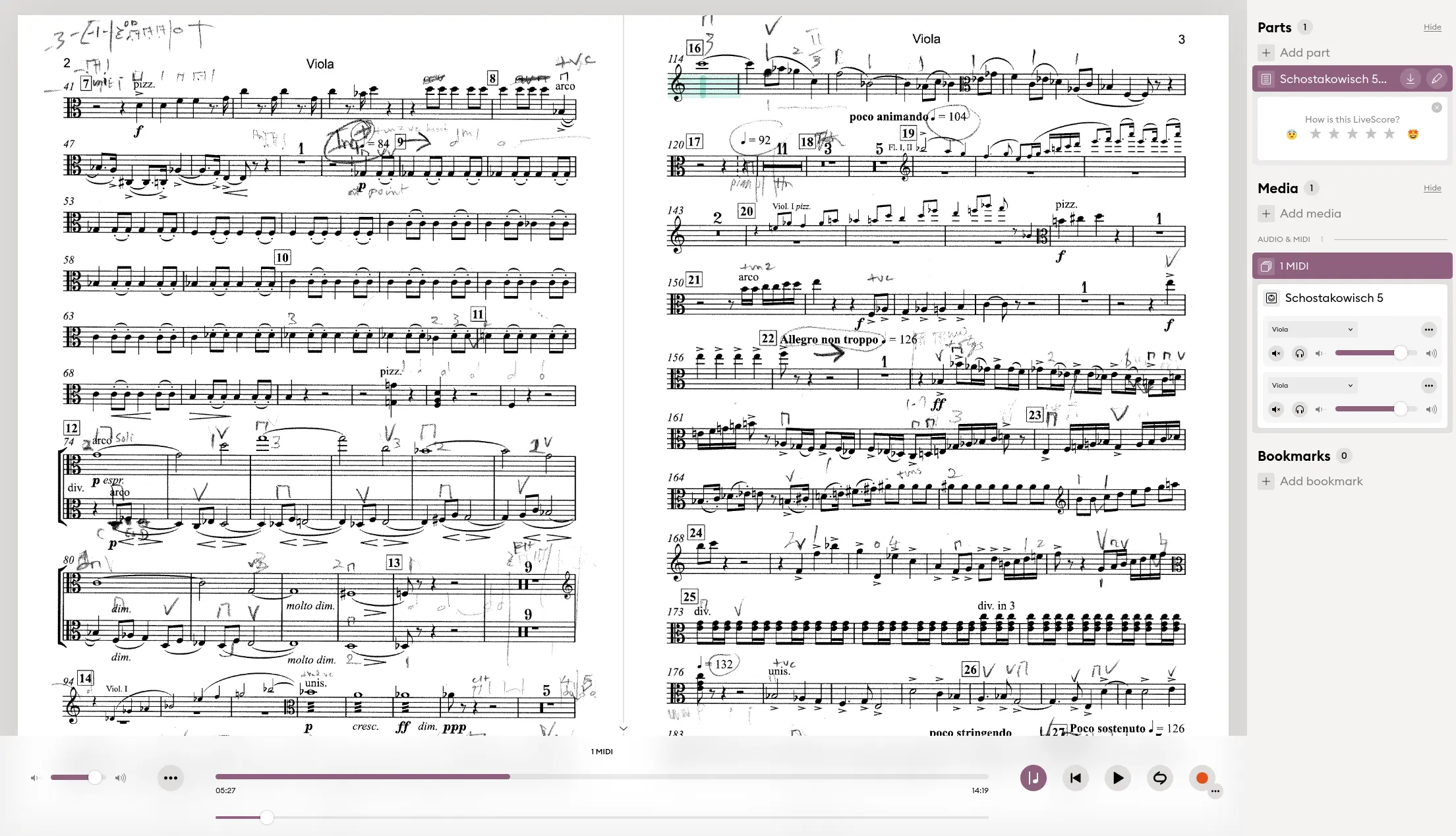
With Newzik Web, you can access your scores from a web browser, and, for example, display two pages side by side on a computer screen.
It’s a real shame that Newzik isn’t available natively as an app on Android tablets or Windows 2-in-1 devices! Its imposing interface would really benefit from the larger, more elongated screens of the largest Android tablets.
With Newzik Web, however, you can open and annotate your scores via a web browser on any platform. This works very well on Mac or PC (even on Linux), but it’s a shame there’s no dedicated application outside the Apple world.
Unfortunately, all these features come at a price, and you’ll need a rather expensive subscription to take advantage of all the capabilities of Newzik.
How to import sheet music into Newzik: There is a dedicated section on importing sheet music on the Newzik support page, and also a (rather dated) tutorial on the Newzik YouTube channel.
The entry-level plan, Newzik Essentials, is a budget-friendly one-time purchase, but it comes with limited features. Newzik Premium, on the other hand, offers the full feature set but requires an expensive subscription. There’s also a “lifetime” license that costs several times more than forScore.
You can try Newzik for free with your first three scores, and convert up to 10 pages into LiveScores.
Pros
- Advanced AI-powered music recognition features (LiveScores)
- One of the few apps capable of playing and transposing your scores!
- Newzik Web is outstanding
- Real-time sharing of annotations
- One-time purchase for normal use without LiveScores (Newzik Essentials, $25 USD)
Cons
- Expensive subscription for advanced features (yearly $45 USD)
- The toolbars take up a lot of space and often overlap the score
- Less customizable than forScore and MobileSheets
- Not available on Android and Windows tablets
Useful links
1.4 Other essential sheet music apps for (classical) musicians
After selecting a main sheet music app, you can choose from a variety of “secondary” applications. I recommend these mainly for downloading sheet music, that can then be imported into the main application.
The following three apps can be particularly useful. They are the IMSLP app, MuseScore, and the Henle Music Library.
1.4.1 The IMSLP app
Available on iPad and iPhone, Android tablets and phones.
Although they have much in common, the IMSLP application should not be confused with the IMSLP website. Both give you access to the largest free sheet music library in the world, with roughly 257,000 works and over 860,000 scores, almost all of them in the public domain. The app lets you browse this immense catalogue, download scores, and import your own PDFs alongside them.
Everything free on the website is also free in the app, with no account required to get started. The annotation tools are decent, though for serious markup and sheet music library management, I still recommend using one of the three “main” apps above.
1.4.2 Enote
Available on iPad and iPhone, Android tablets and phones.
Enote is an ambitious newcomer from a Berlin start-up, offering access to over 80,000 scores with a strong focus on classical music. Its marketing points to “Urtext editions from publishers like Henle, Bärenreiter, Breitkopf & Härtel, Peters and Durand”.
What sets Enote apart is that its AI doesn’t just show you a scan — it actually reads the notation underneath, which unlocks things a PDF can’t do: instant jumps between movements, recognised repeats and codas, automatic colour-coding of your part, and one-tap transposition. This is a different take on AI from Newzik: where Newzik’s LiveScores convert your own PDFs into playable, transposable scores, Enote hands you a ready-made library of reconstructed editions to read from
The app is free to download, and every public-domain score is free to download. A quite expensive premium subscription adds offline access, cloud backups, device syncing, custom printing and newer repertoire.
1.4.3 Henle Library app
Essential for classical music, but with room for improvement
Available on iPad and iPhone, Apple-silicon Macs, Android tablets and phones, and Chromebooks.
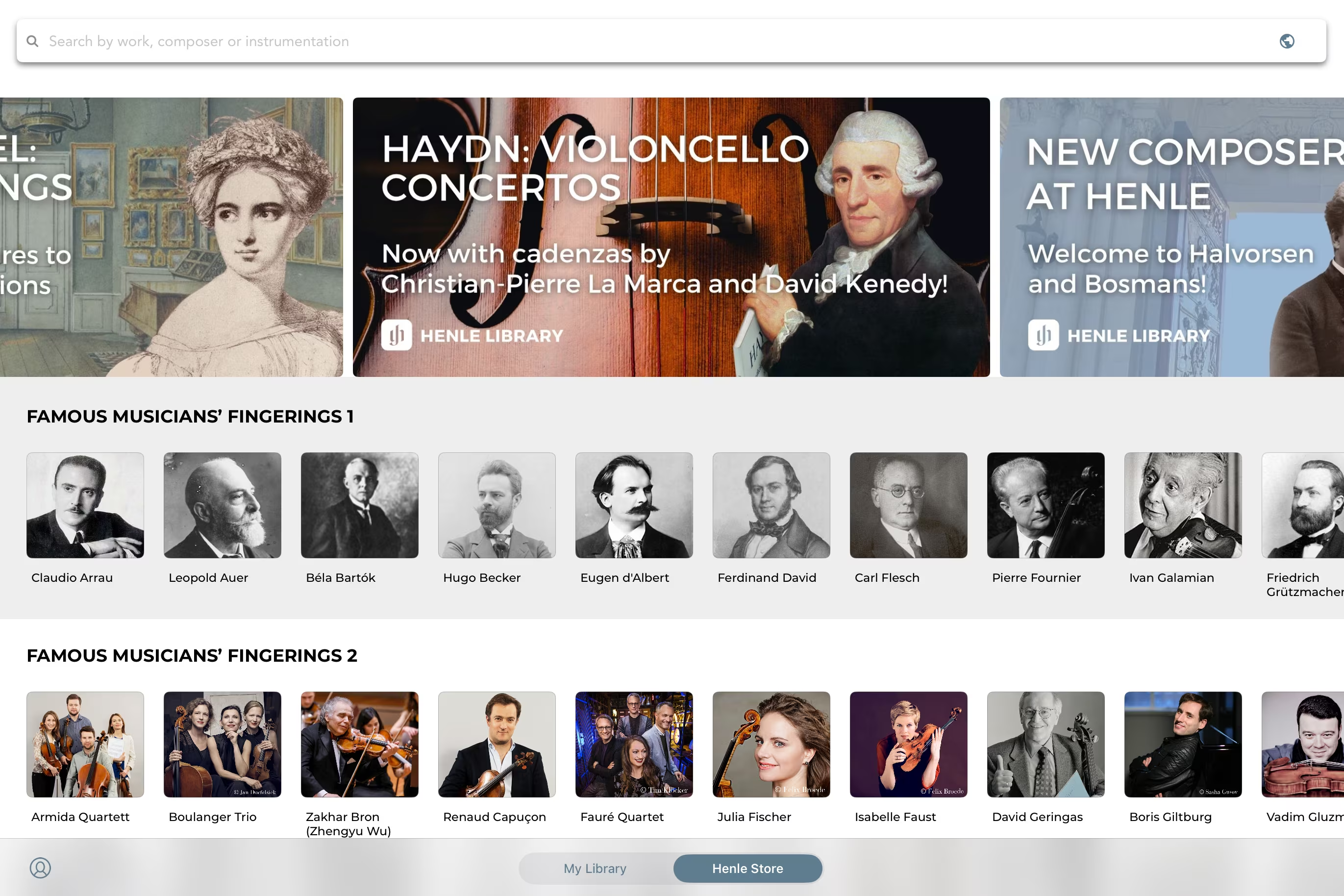
This is one of the few apps actually made by a traditional music publisher. The Henle Library provides digital access to Henle’s renowned Urtext editions, and stands out for allowing you to switch between different fingerings by the world’s best musicians (for selected works).
Henle is well known to “classical” musicians, and hard to miss if you’re a pianist or a string player. The German company specializes in Urtext publishing and boasts a catalog of over 1,250 titles. The quality of their sheet music prints is hard to beat, and I often buy printed sheet music from Henle, and I also use their app to buy digital sheet music.
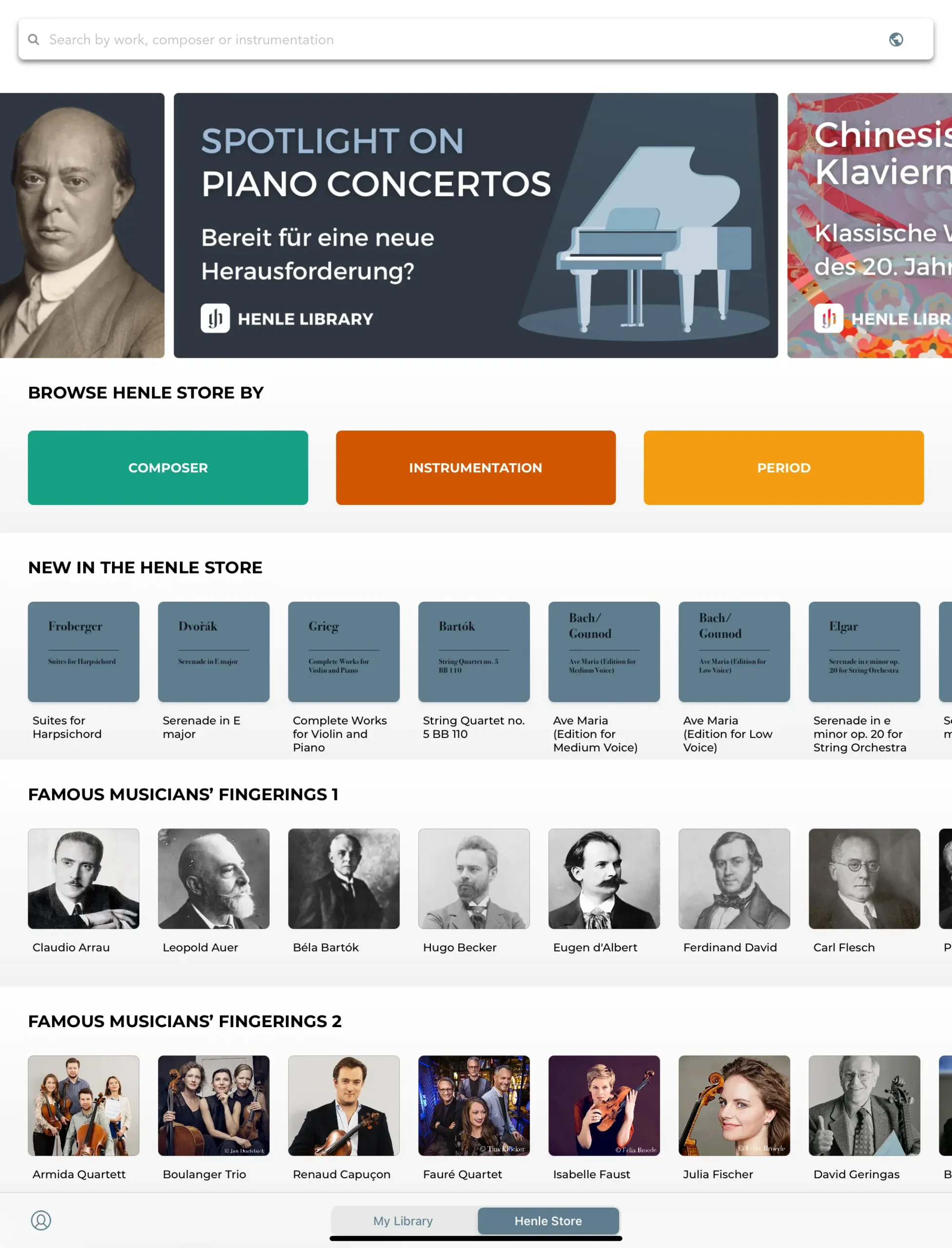
Home page of the Henle Library app on iPad.
In my opinion, the Henle Library is not meant to be your main score-reading app. It lacks too many features in comparison with forScore and MobileSheets. For example, it’s impossible to import sheet music in PDF format.
On the other hand, it does provide other features that are absolutely unique to it: fingerings of famous musicians (historical and contemporary, see the list on Henle’s website) or the ability to jump from a bar in a part to the same bar in the score, and vice versa.
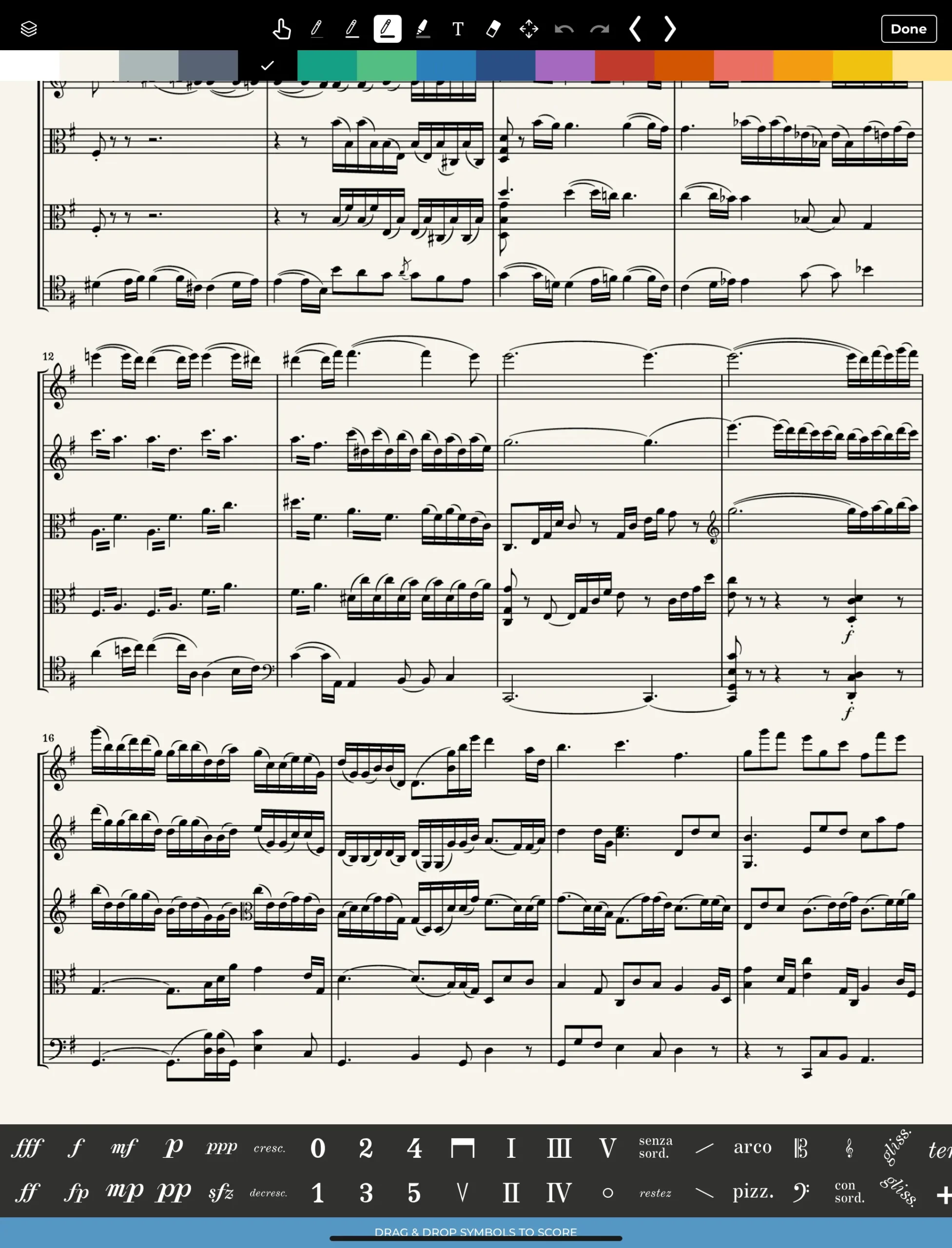
The score annotation mode is original and very pleasant to use, but takes up a lot of screen space.
I usually buy sheet music on the Henle app and work on it for a while, long enough to read the Urtext annotations. When I’m lucky, I can look at the fingerings suggested by violists who fly leagues above me, such as Nobuko Imai, Nils Mönkemeyer, Timothy Ridout or Antoine Tamestit.
In some pieces, one can even alternate between fingerings proposed by different musicians. The choice is fairly limited for viola sheet music, but much greater for piano, violin, and cello.
In concert, I don’t like alternating between apps, and I prefer to stick with my main sheet music app. As it’s rare for all the pieces in a program to be on the Henle Library, I eventually export the score in PDF format, and import it into forScore, MobileSheets or Newzik.
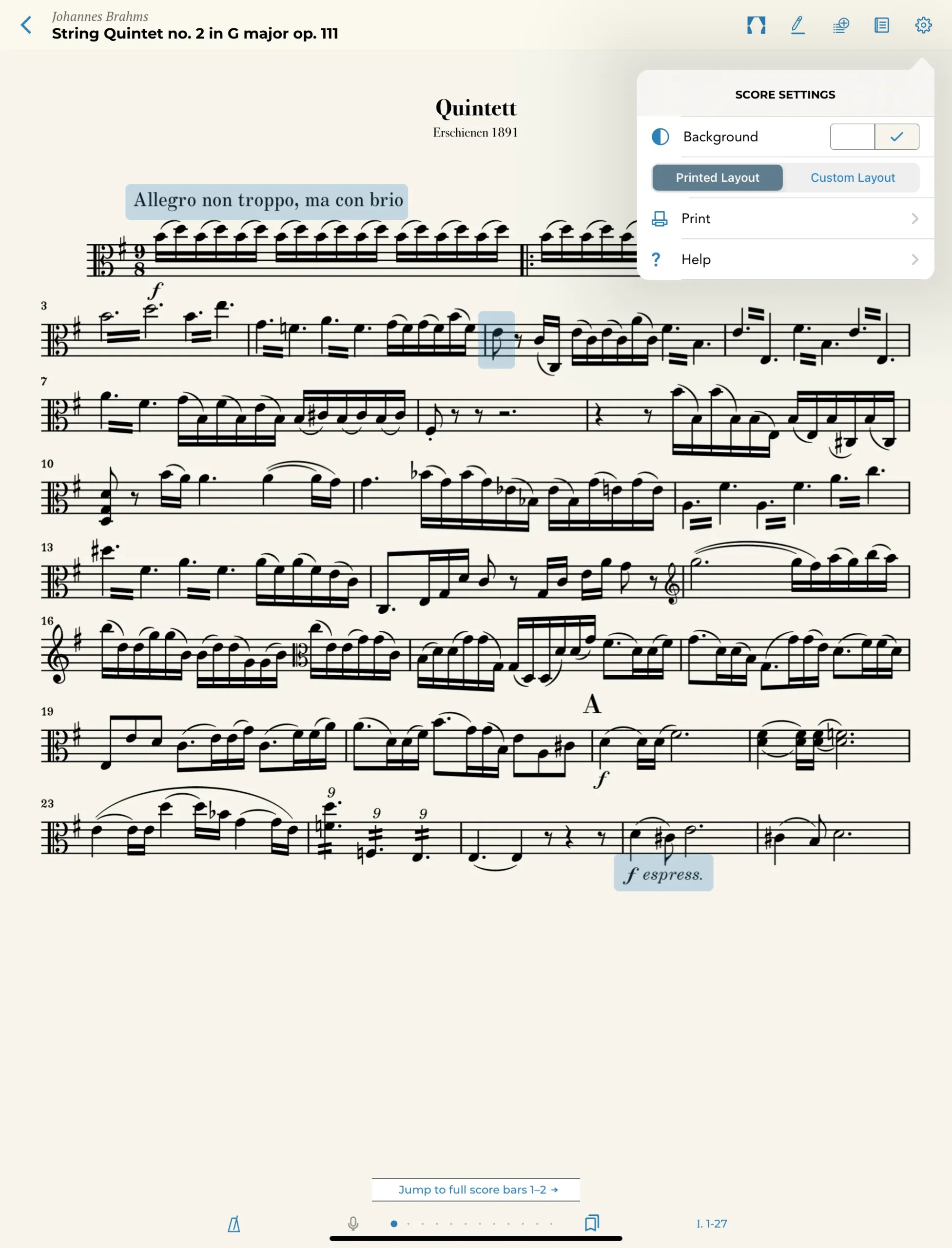
The “Printed Layout” mode, which is supposed to display the scores as in the printed edition, is unfortunately not ideal.
Although the Henle Library app is full of great features and clever details (I couldn’t list them all), it also has many weaknesses.
The “Printed Layout” mode, which I would prefer to use, is not really appealing: The margins are too wide and not customizable, and the staff distribution on the screen is not optimal. Apple Pencil functions are not customizable or are not supported, etc.
There are plenty of details which make the Henle Library not a universal sheet music reading app, but it still serves its purpose very well.
Pros
- Catalog of 1,250 pieces
- Legendary Henle quality
- Fingerings of famous musicians
- Smart jumps between parts and score
- Unique in its field
Cons
- Many missing features (PDF import, lack of customization, etc.)
- Imperfect “Printed Layout” mode
- No discount when buying both print and digital versions of the same work
Useful links
2. Sheet music apps for all musicians (with access to sheet music libraries)
Musicians who are looking for an app with direct access to (free or copyrighted) sheet music should take a look at the following apps. Their integration with publishers and sheet music libraries goes much deeper than forScore and Newzik.
2.1 Tomplay
Tomplay is like the modern version of the old play-along CDs, but much better! Each piece in its library of more than 100,000 arrangements comes with audio tracks that are synced to the score, allowing you to play along in real time. You can adjust the tempo or mute the solo line to keep only the accompaniment, and there are more than 25 instruments available (with different levels of support).
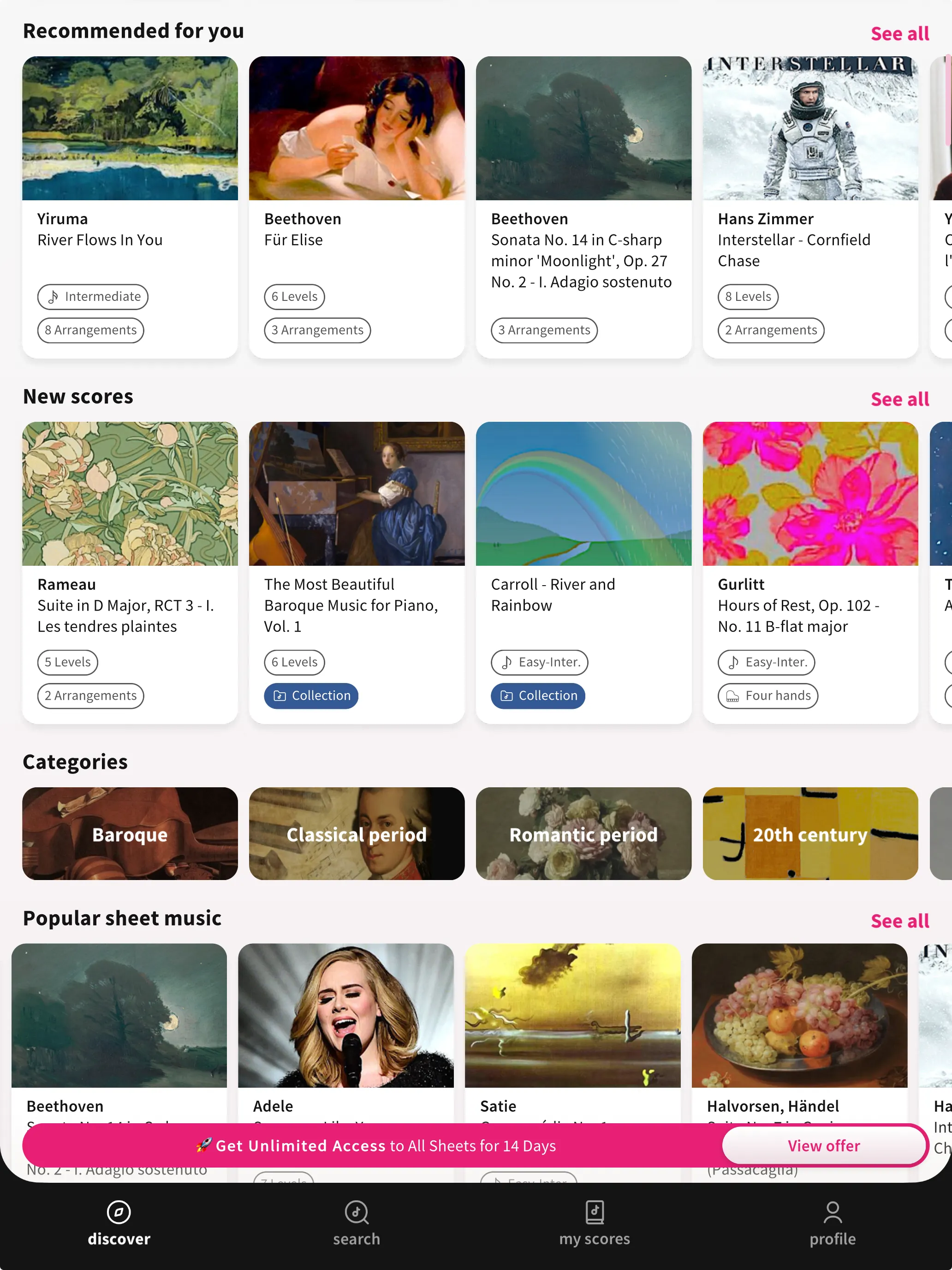
Tomplay impressed me with the high quality of its play-along recordings in a wide range of styles. Screenshot: tablets-for-musicians.com
I have to say that I’m amazed that all solo parts are not cheap MIDI recordings, but real studio recordings of professional musicians (accompaniments are mostly MIDI). Even if one can be critical about some of these performances, most of them are absolutely OK and some excellent, which is much better than any comparable app.
Tomplay works with a subscription model, which is not cheap, but includes access to a part of the catalogue. There is also a 14-day free trial for Tomplay Premium.
2.2 MuseScore
Available on iPad and iPhone, Android tablets and phones, Windows.
Here too, we must not confuse:
- the free MuseScore scorewriter (at musescore.org)
- the musescore.com website and the MuseScore paid app (although there is a free trial mode for up to five scores)
MuseScore is the most used sheet music app on Apple devices. It goes beyond just reading sheet music and offers access to a massive online library of user-created scores (2 million pieces of free sheet music according to MuseScore itself), covering everything from classical to pop to obscure arrangements. I don’t recall how many times the arrangement I was looking for was only available on MuseScore.
Unfortunately, MuseScore is probably the most expensive sheet music app, and the price structure is not easy to understand. With “MuseScore Premium”, you won’t go far. And even with the super expensive “MuseScore PRO+”, some official scores may still require an additional payment if you want to download or print them. Be cautious and make sure you check the reviews on the Apple App Store (filter by “Most Recent” to see the latest reviews) before you make a subscription.
3. Digital sheet music stores (and their apps)
Two of the most successful online sheet music stores (Musicnotes and Sheet Music Direct) have released their own iPad apps. Here is a brief review.
3.1 Musicnotes
Available on iPad and iPhone, Android tablets and phones, any browser.
Musicnotes delivers an enormous catalog of more than 500,000 officially licensed arrangements, and you have to pay for each song.
You should know that when you buy a song, you “own” it only in the Musicnotes app. For many publisher-controlled purchases, only one successful print is included, and you may need to buy additional copies if you want to print again. Some Musicnotes Editions have more flexible rules, so check the print and PDF conditions before buying a song!
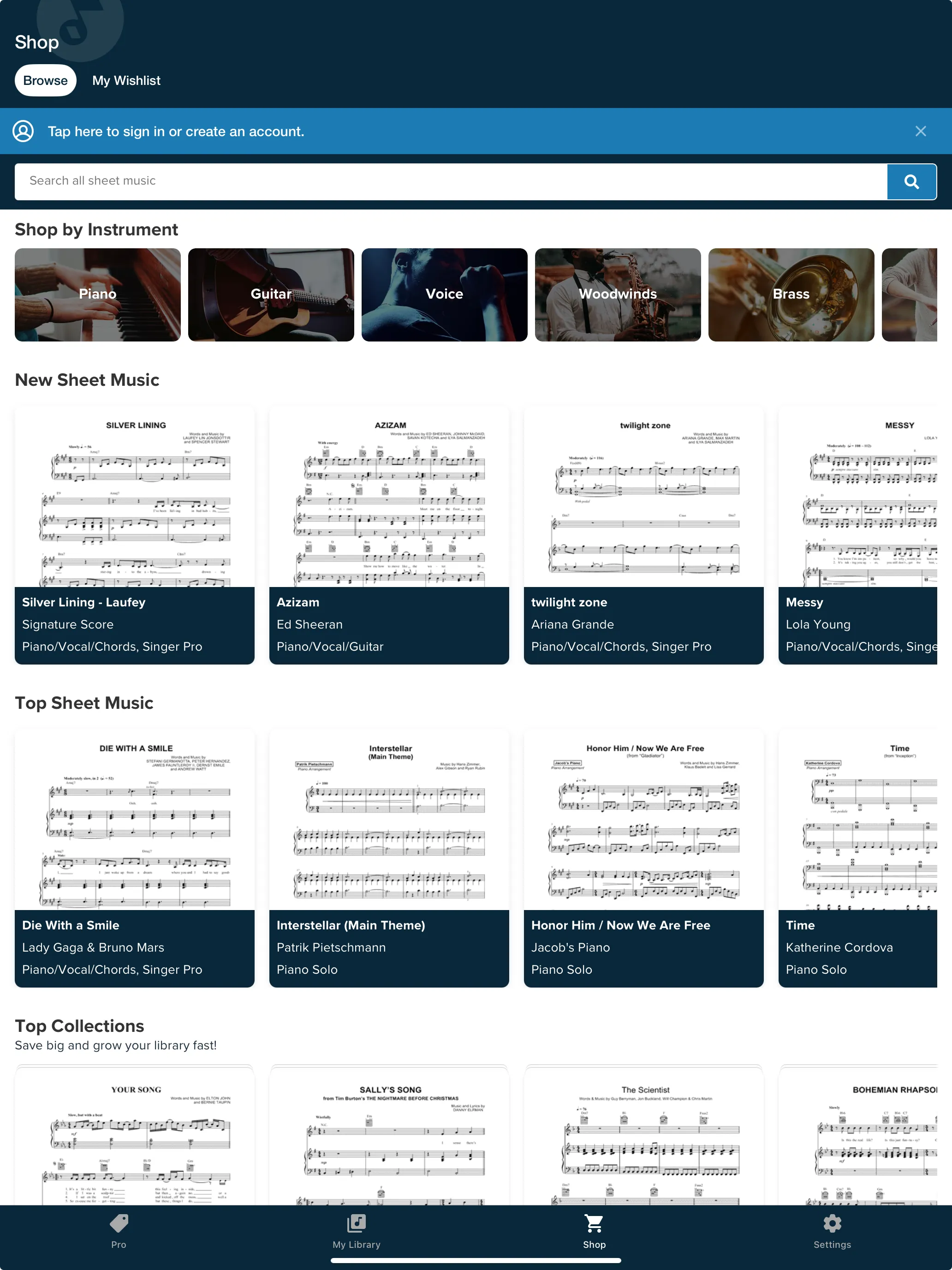
Musicnotes offers a large collection of legal (and expensive) sheet music. Screenshot: tablets-for-musicians.com
The app by itself is OK, but nothing special, and the Musicnotes website offers better prices than the app (especially for the subscriptions), so I would recommend to use the website to buy the sheet music and import it into another app, or use the Musicnotes integration in the forScore app.
3.2 Sheet Music Direct
Available on iPad and iPhone, any browser.
Sheet Music Direct is a digital sheet music service powered by Hal Leonard, the world’s largest sheet music publisher. It’s a deep, fully licensed catalogue of pop, rock, film, Broadway and classical arrangements.
You can buy scores individually, or take the (expensive) PASS subscription for unlimited access to well over a million arrangements. Note that Sheet Music Direct claims 2.6 million arrangements in total, so there is a good chance that your subscription does not include the title you’re looking for! Also, PASS is a streaming subscription: you read inside the Sheet Music Direct app or website, and you can’t export those titles to another app!
For à la carte purchases, though, you get a PDF you can import into your main reader, which is how I personally use it.
4 Sheet music apps FAQ
Which sheet music apps work without having to create an account?
I hate it when I can’t use an app without having to create an account. The following apps can be used without an account:
- forScore, MobileSheets, IMSLP
The following sheet music apps force you to login or create an account on first start:
- Newzik, Enote, MuseScore, Tomplay, Nkoda
5. Conclusion: which sheet music app should you choose?
After all these years of testing, my honest answer is still: you almost can’t go wrong. Every app here is mature and capable, and the “best” one depends far more on your platform and your habits than on any feature list.
- If you’re on Android or Windows, the decision is made for you: use MobileSheets, and you’ll be happy!
- On my iPads, I personally use forScore when I want the most polished, reliable app on stage, MobileSheets when I know I’ll write a lot, and Newzik when I want to listen to a difficult part.
Then there are the specialists I keep alongside my main app: IMSLP for free public-domain scores and Henle for trustworthy Urtext editions. I only use Musicnotes and Sheet Music Direct a few times a year, when I need licensed, copyrighted non-classical music.
My advice: start right now! Download an app, import your first piece, and live with it for a few days. If you already have a great workflow, or if I missed your favorite app, please tell me about it in the comments.
3 thoughts on “The best sheet music apps for iPad, Android and Windows tablets”
Many thanks for this review which gives me the elements of decision for the purchase of my first tablet score reading and annotating application, as well as ideas for future development.
Is there an app which allows for a continuous reading of a score without having to use blutooth page turners?
You may want to try Score Wizard on the iPad. It allows you to “train” each page of your imported pdf score by playing it once, and upon repeated playing it follows you and flips the page by listening.